These figures come from Scale Ova usage data, anonymized and aggregated. The method, the biases and what we chose not to publish are detailed at the bottom of the page.
Key figures
- 8 projects out of 10 start from a description. According to the Scale Ova 2026 Report, 80% of store projects built with AI start from a description of the project. 12% start from an existing store and 7% from a product link.
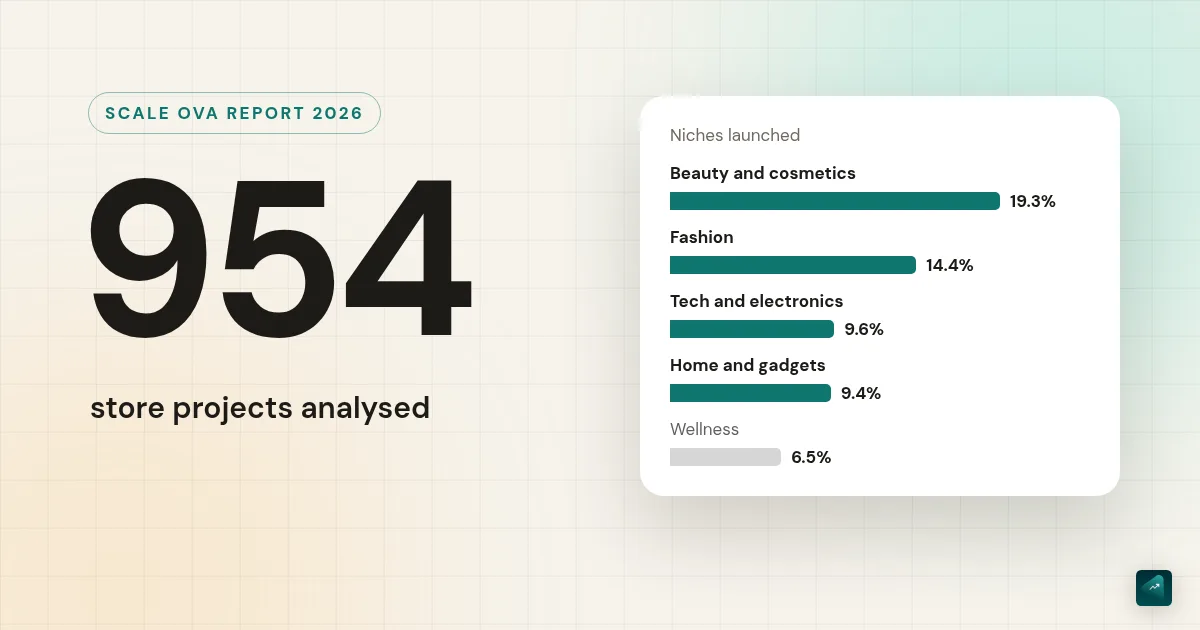
- Beauty leads. According to the Scale Ova 2026 Report, four niches account for more than half of the stores built with AI: beauty (19%), fashion (14%), tech (10%) and home and gadgets (9%).
- 6 stores out of 10 are single-product. According to the Scale Ova 2026 Report, 61% of stores built with AI are built around one main product.
- 12 minutes to a first store. According to the Scale Ova 2026 Report, the median time from opening a project to the first AI-generated store is 12 minutes. 88% of projects get there in under 30 minutes.
- 59% keep going after generation. According to the Scale Ova 2026 Report, 59% of store projects send at least one new request to the AI after the first generated version.
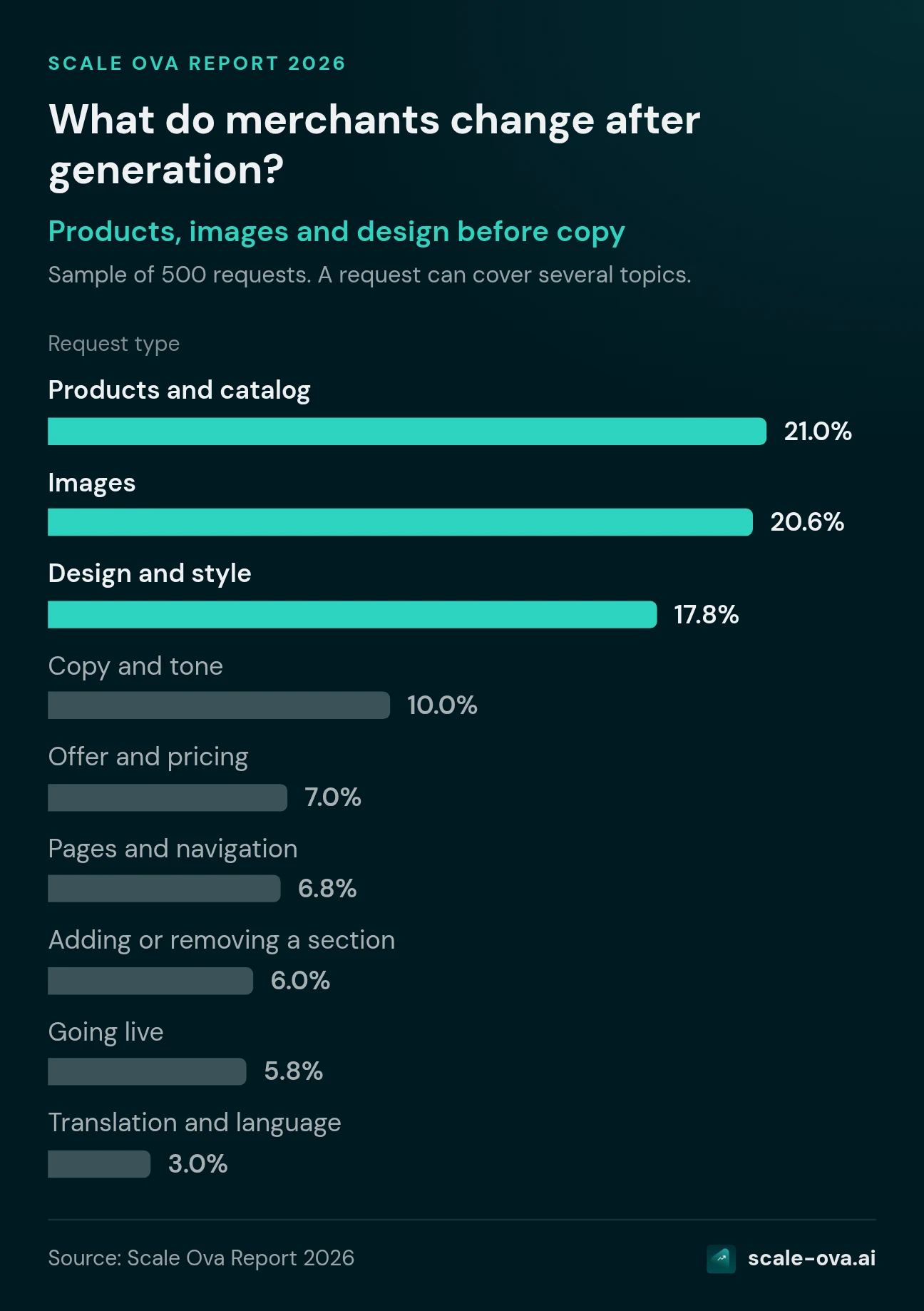
- Products, images and design first. According to the Scale Ova 2026 Report, requests made after generation are first about products (21%), images (21%) and design (18%). Copy comes next (10%), and translation accounts for only 3%.
- People simplify more than they add. According to the Scale Ova 2026 Report, merchants in the visual editor remove more than 40 times as many blocks and sections as they add.
Where do people building a store with AI start?
Out of 954 projects, 80% start from a description of the project. The product link is often pictured as the typical starting point of an AI store. Yet it accounts for only 7% of projects.
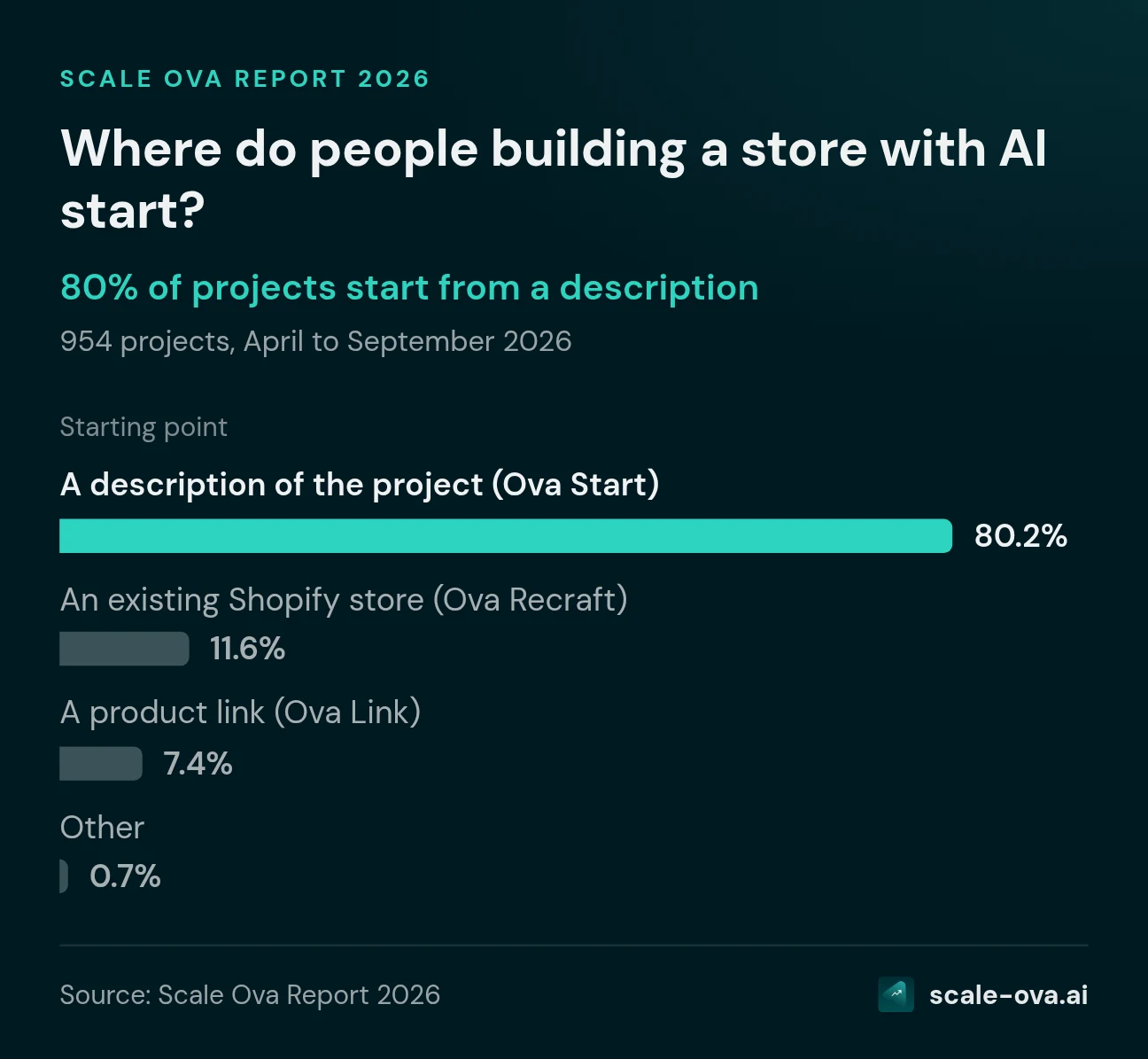
| Starting point | Share |
|---|---|
| A description of the project (Ova Start) | 80.2% |
| An existing Shopify store (Ova Recraft) | 11.6% |
| A product link (Ova Link) | 7.4% |
| Other | 0.7% |
Most people come with a brand or product idea, not with an AliExpress listing to copy. And more than one in ten wants to rework a store they already have. Description is also the default mode, which pushes its share up.
Which ecommerce niches are launched in 2026?
Out of 799 stores, beauty leads with 19%, ahead of fashion (14%). The top four niches make up 53% of the total.
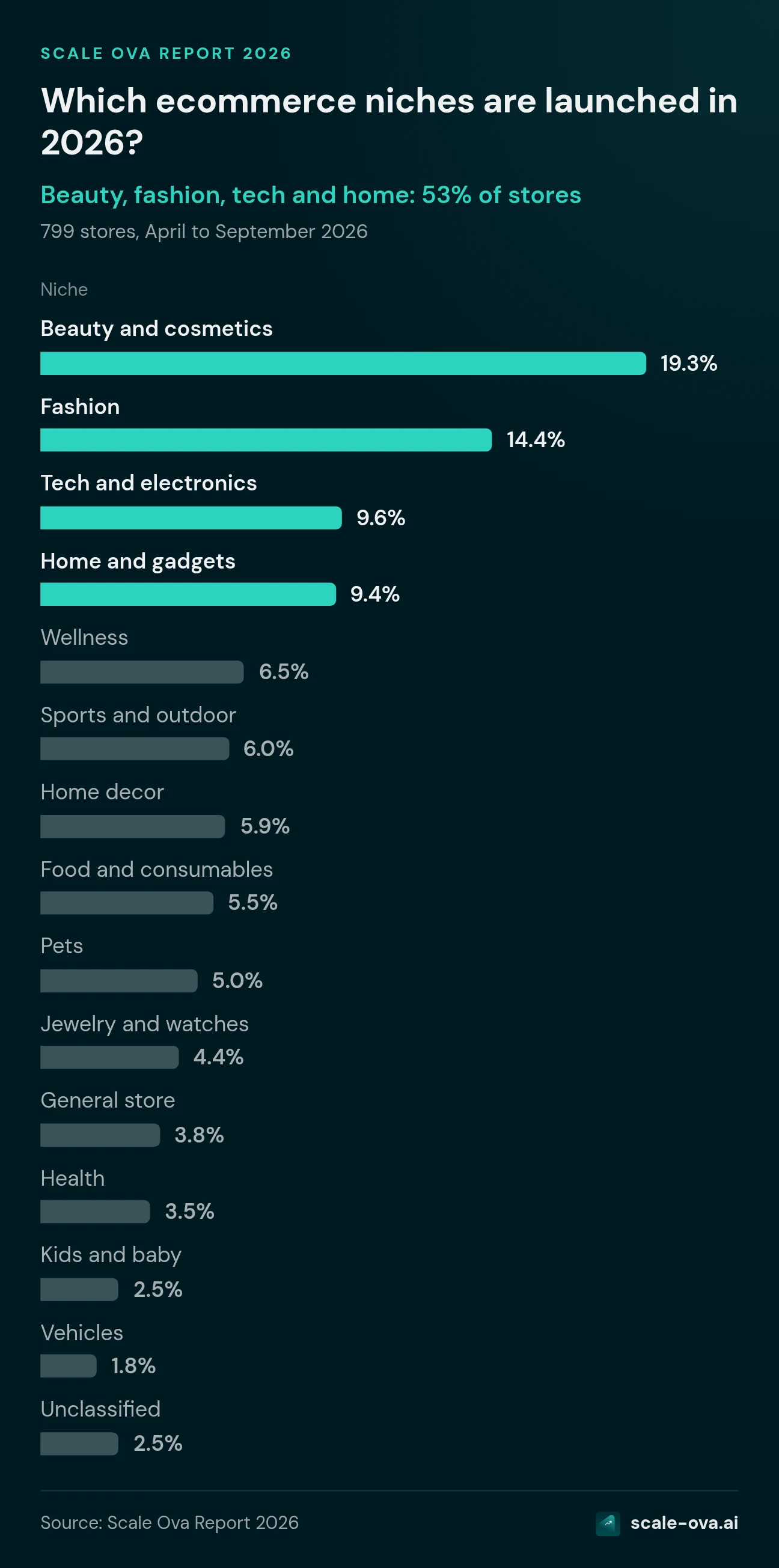
| Niche | Share |
|---|---|
| Beauty and cosmetics | 19.3% |
| Fashion | 14.4% |
| Tech and electronics | 9.6% |
| Home and gadgets | 9.4% |
| Wellness | 6.5% |
| Sports and outdoor | 6.0% |
| Home decor | 5.9% |
| Food and consumables | 5.5% |
| Pets | 5.0% |
| Jewelry and watches | 4.4% |
| General store | 3.8% |
| Health | 3.5% |
| Kids and baby | 2.5% |
| Vehicles | 1.8% |
| Unclassified | 2.5% |
Single-product store or catalog: what new merchants choose
Out of 799 stores, 61% launch around one main product. 28% start with a catalog of several products. 8% choose a catalog organized into collections.
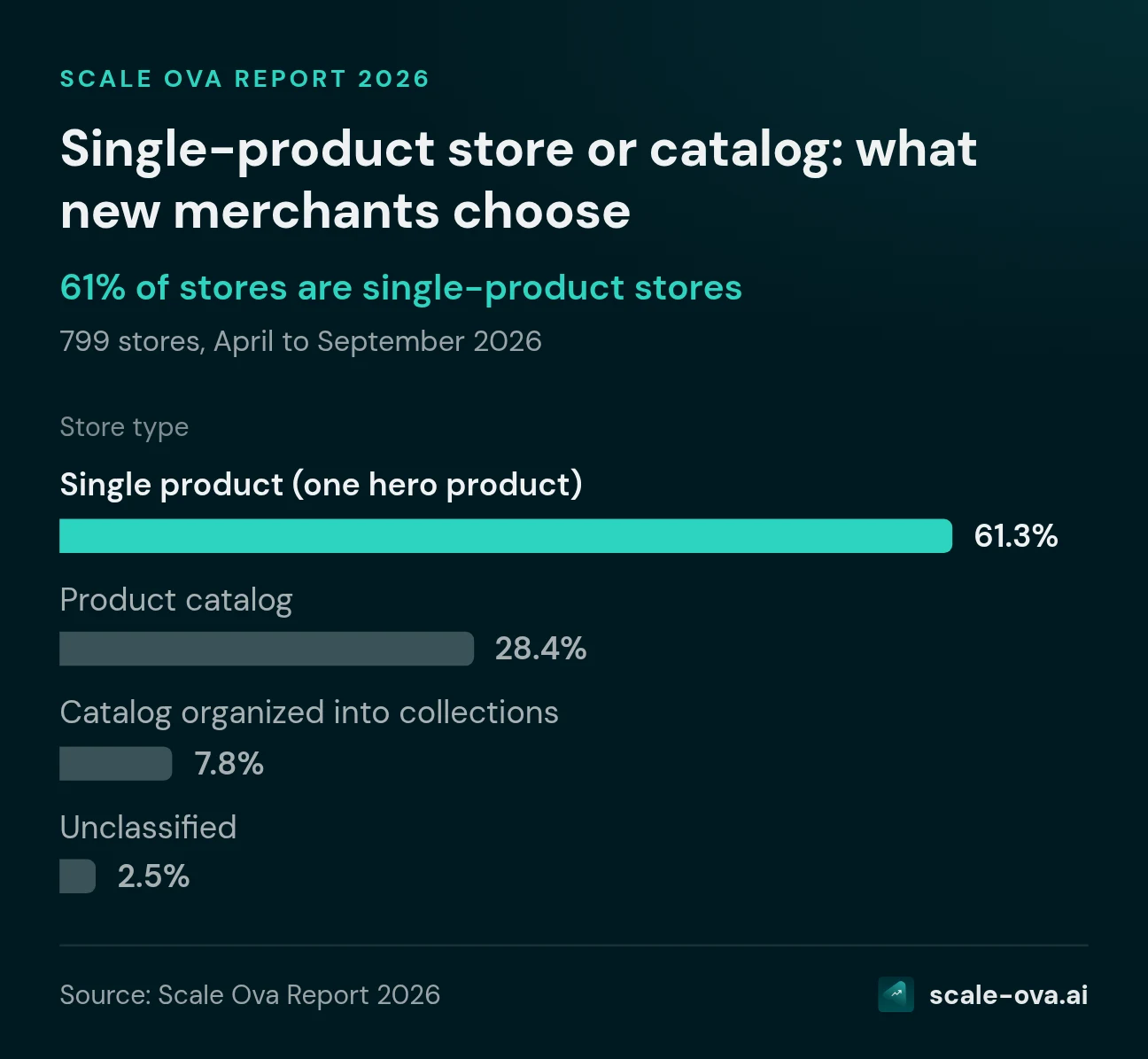
| Store type | Share |
|---|---|
| Single product (one hero product) | 61.3% |
| Product catalog | 28.4% |
| Catalog organized into collections | 7.8% |
| Unclassified | 2.5% |
Single product remains the dominant launch format. It relies on one offer and a carefully built product page, with bundles. If that is your case, the one product store guide covers the mechanics.
How long does it take to build a store with AI?
It takes 12 minutes (median) to go from opening the project to the first generated store. That time includes describing the project and the generation itself.
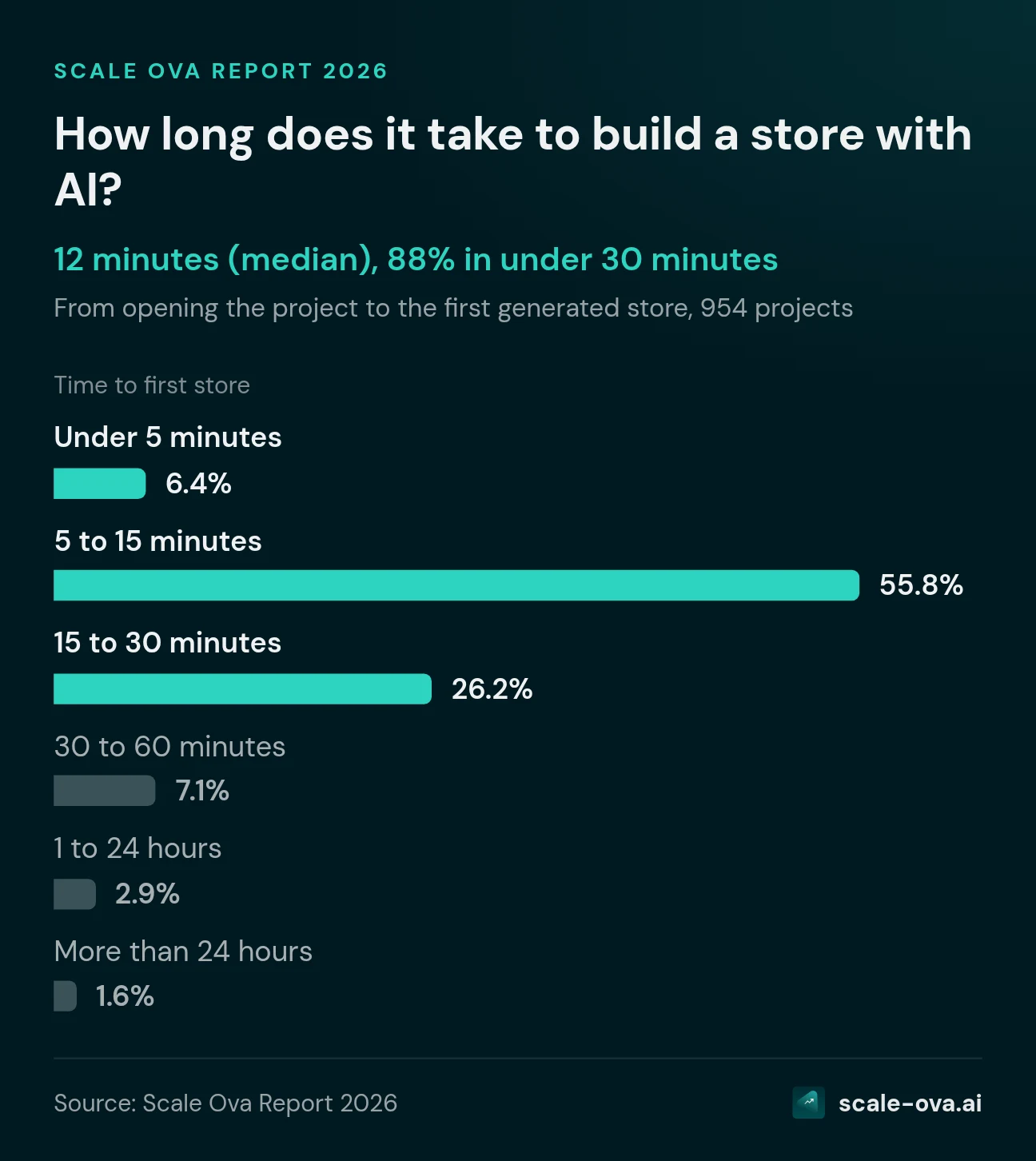
| Time to first store | Share |
|---|---|
| Under 5 minutes | 6.4% |
| 5 to 15 minutes | 55.8% |
| 15 to 30 minutes | 26.2% |
| 30 to 60 minutes | 7.1% |
| 1 to 24 hours | 2.9% |
| More than 24 hours | 1.6% |
88% of projects have a first store in under 30 minutes. A quarter take more than 19 minutes.
Is an AI-generated store ready to sell?
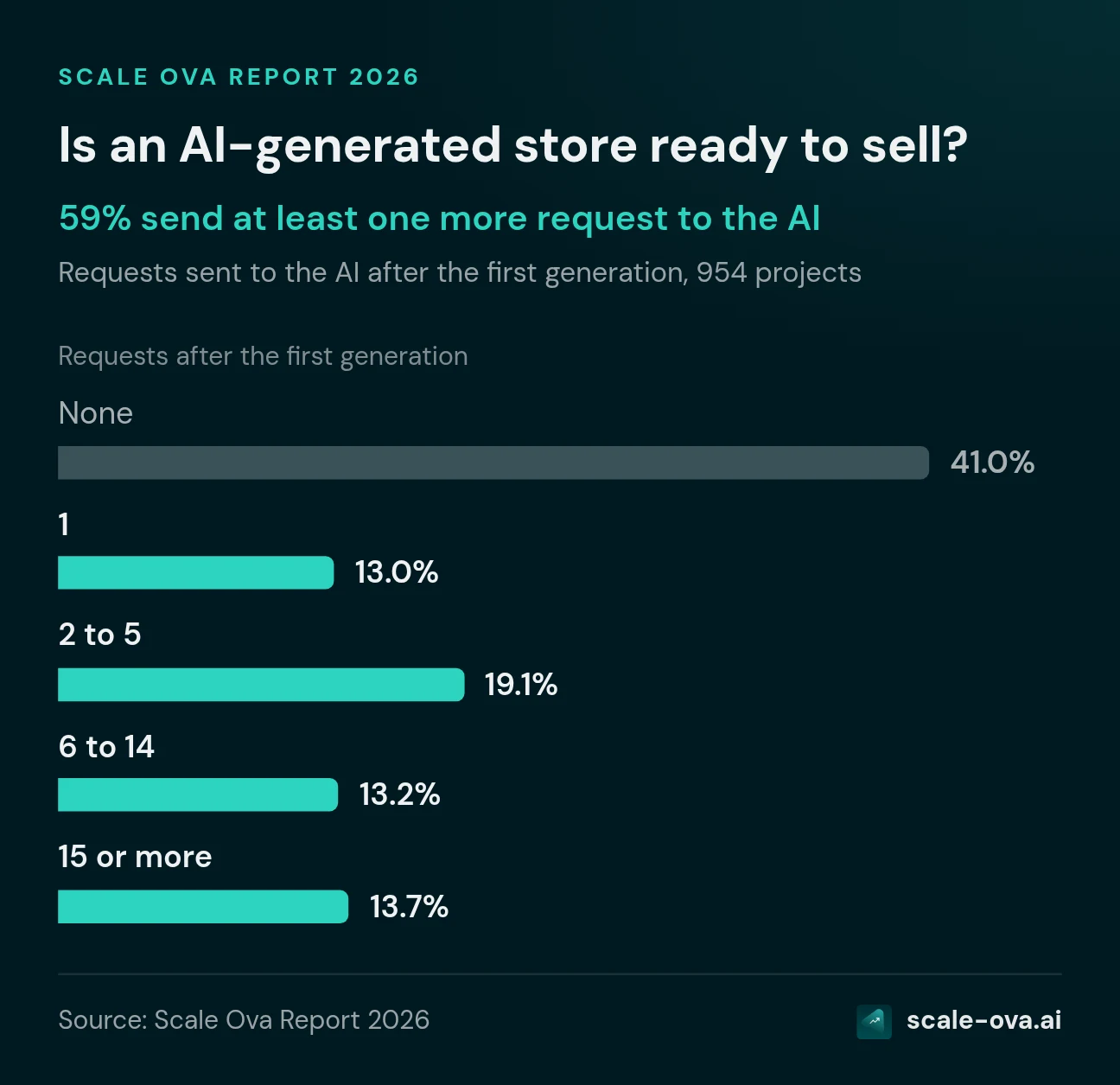
It is a complete base, but most projects keep working on it. 59% send at least one new request to the AI after the first generation. And 54% have at least one new version of the store applied.
| Requests after the first generation | Share |
|---|---|
| None | 41.0% |
| 1 | 13.0% |
| 2 to 5 | 19.1% |
| 6 to 14 | 13.2% |
| 15 or more | 13.7% |
Among projects that keep going, the median is 5 requests. A quarter send 14 or more. The rate stays between 53% and 73% depending on the month.
This is the most important figure in the report. The first version is a working base, and the store gets built in the exchanges that follow. So a tool that stops at generation leaves most projects halfway.
What do merchants change after generation?
Products, images and design come before copy.
| Request type | Share of requests |
|---|---|
| Products and catalog | 21.0% |
| Images | 20.6% |
| Design and style | 17.8% |
| Copy and tone | 10.0% |
| Offer and pricing | 7.0% |
| Pages and navigation | 6.8% |
| Adding or removing a section | 6.0% |
| Going live | 5.8% |
| Translation and language | 3.0% |
A request can cover several topics, so the total exceeds 100%. 31% of requests fit none of these categories (follow-ups, questions about how things work, billing).
What bothers people after a generation is what they can see. That means the photos, the product presentation and the overall look. Translation comes last. That fits a store generated directly in the market's language.
And by hand, in the editor?
17% of projects open the visual editor to make changes themselves. Those who do adjust settings far more than they build:
- Settings dominate. Changing an element's copy, color or image makes up more than 7 manual edits out of 10.
- People remove more than they add. 262 blocks and sections were removed, against 6 added.
So the trend is toward simplification. Merchants trim the generated store more than they add to it.
What it means if you launch your store with AI
- Start from your idea, not necessarily from a product link. That is what 8 projects out of 10 do.
- Treat the first generation as a solid draft, not the final version. 59% of projects keep going after it.
- Plan time for products and images. They are the top two editing topics.
- Pick a tool that lets you change things after generation. You should be able to do it by talking to the AI or in an editor, without starting over.
To try it on your project, describe it to Scale Ova and look at the generated store. Then ask for the changes you want. Generation is free, and the subscription is for publishing.
Methodology
- Source: Scale Ova usage data, extracted read-only on September 14, 2026, anonymized and aggregated. No individual data is published.
- Period: April 14 to September 14, 2026.
- Sample: 954 store projects that reached at least one generated store, corresponding to 799 stores and 776 merchants. Test accounts and team accounts are excluded.
- Starting point: mode chosen when opening the project.
- Niche and store type: classified by Ova from the project description.
- Time: time from opening the project to the first generated store.
- Requests after generation: messages sent to the AI after the first generated store. Topics were classified by reading a random sample of 500 requests, excluding plain confirmations ("ok", "yes"), with a margin of about 4 points.
- Manual edits: visual editor change log, available since May 26, 2026.
Biases to keep in mind:
- These are Scale Ova users, not all merchants. 81% of stores are in French, 12% in English.
- August 2026 accounts for two thirds of projects.
- Description is the default mode, which favors its share.
What we did not publish, and why. Prices, offers and buying objections in brand strategies are written by the AI from the project, not entered by merchants. Publishing them as market figures would have been misleading.
Cite this report
Scale Ova 2026 Report on building a store with AI, 954 projects analyzed between April and September 2026. Scale Ova, September 2026. https://scale-ova.ai/blog/ai-store-building-report
You can reuse the figures and tables on this page by citing the Scale Ova Report with a link to this page.
FAQ
How long does it take to build a store with AI?
Is an AI-generated store ready to sell?
Which niches are launched most with AI?
Do you need a product link to build a store with AI?
Are stores built with AI mostly single-product?
Sources
- Scale Ova usage data, read-only extraction of September 14, 2026, anonymized and aggregated