I build tools for Shopify with Scale Ova, so my view isn't neutral. That's why everything below is costed from official pages, checked on October 5, 2026. And I'll tell you exactly when WooCommerce is the better pick.
The verdict for your profile
Shopify if you want to focus on selling. WooCommerce if you want full control and have the time or skills to handle it.
| Your profile | The right pick | Why |
|---|---|---|
| Beginner, no developer | Shopify | Nothing to install, no server or updates to manage |
| You want to launch in a few days | Shopify | The store is live as soon as the theme and products are in |
| You already run a WordPress site with traffic | WooCommerce | You add a store without changing sites |
| Your growth relies on blogging and content | WooCommerce | WordPress is still the most complete publishing tool |
| You have a PHP developer | WooCommerce | You can change everything, from code to checkout flow |
| You sell in store and online | Shopify | Shopify POS shares the same inventory |
| Big traffic spikes (sales, launches) | Shopify | The infrastructure scales without you stepping in |
The core difference: renting a store or building one
Shopify is a hosted service: you pay a subscription and everything else is handled. WooCommerce is a free WordPress plugin: you install it on your own hosting and handle everything else.
With Shopify, you create an account, pick a theme, add your products, and sell. Hosting, the SSL certificate, payment security, and updates are part of the subscription.
With WooCommerce, you start with hosting and a WordPress site, then install WooCommerce, a theme, and the extensions you need. You get access to all the code. In return, you update WordPress, the theme, and the extensions, check that they stay compatible with each other, and keep backups.
The real cost over a year
The WooCommerce software is free, the store isn't. Over a typical year, WooCommerce costs a little less cash than Shopify, but takes time every month.
Fees per order: identical
| Online card fees, US | Shopify Payments (Basic) | WooPayments |
|---|---|---|
| Official rate | 2.9% + 30¢ | 2.9% + 30¢ |
| On a $50 order | $1.75 | $1.75 |
| If you use another provider | + 2% charged by Shopify | No extra WooCommerce fee |
With their built-in payments, both take the same cut. The difference shows up if you prefer another provider (Stripe, PayPal, Square…): Shopify then adds 2% per sale on Basic, WooCommerce adds nothing.
Hosting: look at the renewal price
On Shopify, hosting is in the subscription. On WooCommerce, you pick it. Entry offers are very cheap the first year and jump at renewal. Example from SiteGround, a common WordPress host: the StartUp plan is $2.99 a month the first year, prepaid for 12 months, then renews at $17.99 a month.
A typical year: 600 orders of $50
| Over 12 months | Shopify Basic | WooCommerce (year 1) | WooCommerce (after that) |
|---|---|---|---|
| Subscription or hosting | $348 | $35.88 | $215.88 |
| Card processing fees | $1,050 | $1,050 | $1,050 |
| Total | $1,398 | $1,085.88 | $1,265.88 |
| Updates, backups, security | Included | Your time, or a contractor | Your time, or a contractor |
Shopify Basic billed yearly ($39 a month billed monthly). Shopify's $1 a month for 3 months offer isn't counted. The WooCommerce column doesn't include a domain name.
So the cash gap is about $130 to $310 a year in WooCommerce's favor, before extensions and apps. If maintenance takes an hour a month and you hand it to a contractor, the gap disappears fast.
Extensions and apps: it depends on the feature
The cost of extra features goes both ways. Take subscriptions:
- Shopify: the official Shopify Subscriptions app is free.
- WooCommerce: the official WooCommerce Subscriptions extension costs $279 a year.
On the other hand, many WordPress plugins are free or paid once, where many Shopify apps bill monthly. Before choosing, list the three or four features you really need and check their price on both sides.
The full first-year cost on Shopify is in is Shopify free.
What each one does better
Shopify wins on simplicity, managed security, and multichannel selling. WooCommerce wins on control, content, and freedom to pick your providers.
Shopify does better at:
- Getting started: no install, no server, the store is built from the admin.
- Security and updates: handled by Shopify, payment compliance included.
- Traffic spikes: the infrastructure keeps up without any tuning on your side.
- In-store selling: Shopify POS shares inventory with the online store.
- Support: 24/7 live chat included from the Basic plan.
WooCommerce does better at:
- Control: full access to the code, the database, and page URLs.
- Content: you get all of WordPress for blogging, pages, and SEO plugins.
- Choice of providers: any payment provider or host, with no extra platform fee.
- Ownership: your site runs on your hosting, not tied to a subscription.
SEO: full control versus a solid base
WooCommerce lets you tune everything, Shopify gives you a clean base but enforces its URL structure. Both can rank well.
On WooCommerce, you choose your URL structure, and plugins like Yoast or Rank Math give you control over titles, structured data, and the sitemap. For a strategy built on lots of articles, WordPress is still the most complete tool.
On Shopify, titles, descriptions, redirects, and the sitemap are handled natively. URLs follow a fixed structure: /products/ for product pages, /collections/ for categories, /blogs/ for articles. It doesn't stop you from ranking, but you can't change it. What gets you ranked on either platform is mostly the quality of your pages.
Switching platforms later
Moving from WooCommerce to Shopify is common: products and customers import by CSV or with a migration app. The design has to be rebuilt, and old URLs need redirects.
WooCommerce exports your products to CSV natively. Shopify imports them by CSV or with a migration app, and its official guides spell out what transfers and what doesn't. Two things to plan: the theme, which you rebuild on Shopify, and redirects, because your product pages move from a /product/ URL to a /products/ URL. Without redirects, you lose the Google traffic of the old pages.
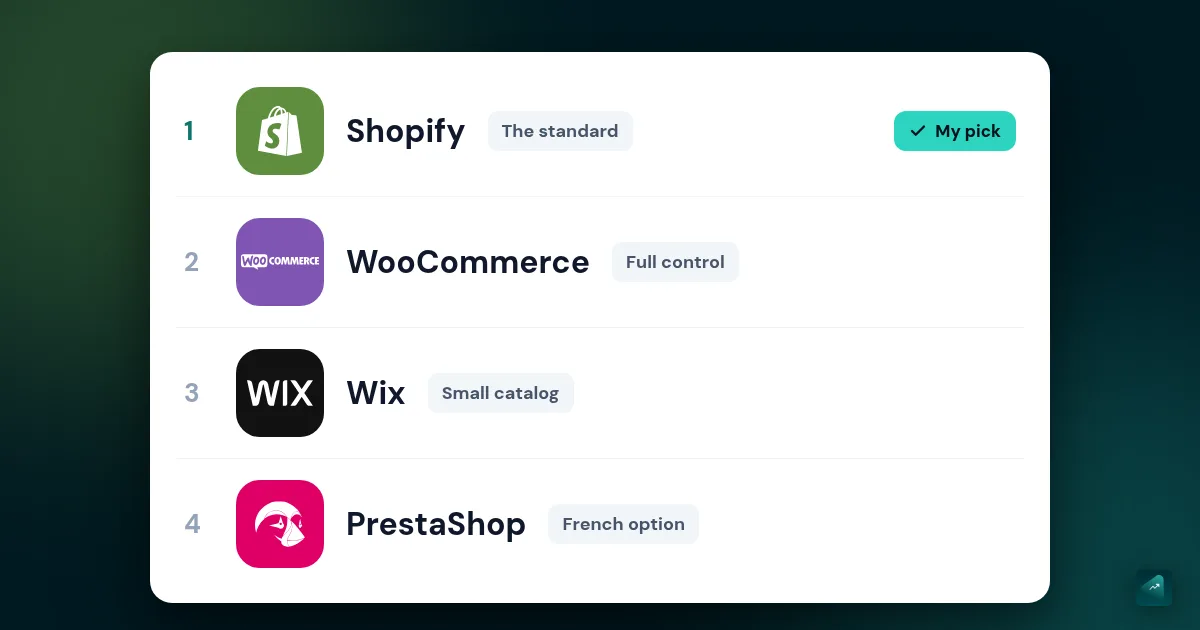
To launch on Shopify, the complete guide to building your Shopify store walks through the steps. If you're comparing other platforms: Shopify vs Wix, Shopify vs PrestaShop, and the comparison of online store builders.
Going further
If you go with Shopify, Scale Ova generates your complete store from a description, products, collections, and pages included: a median of 12 minutes between opening a project and the first store, according to the Scale Ova 2026 report. You browse it and edit it for free, and a Scale Ova subscription is only required to publish it to Shopify.