"Wix or Shopify?" Both let you build a store without code, both let you start for free, both now come with AI. What separates them is the numbers: what you pay to be able to take payments, what each order costs you, and when you hit the limits.
Here are those numbers, checked on the official Wix and Shopify US pages on October 5, 2026, followed by the verdict for your project.
The verdict for your project
Wix if your site mainly presents your business and selling comes on top. Shopify if you're building an online store and orders are the center of the project.
| Your project | The right pick | Why |
|---|---|---|
| Showcase site with a few products | Wix | Free-form layout, the store is one module among others |
| Services, classes, or bookings | Wix | Scheduling is included in the plans |
| Portfolio or blog with a small shop | Wix | Content stays at the center |
| Online store, even a small one at first | Shopify | Selling tools, apps, and themes built for commerce |
| Catalog with many variants | Shopify | 2,048 variants per product, versus 1,000 on Wix |
| More than 50,000 products | Shopify | Wix caps the catalog at 50,000 products |
| Dropshipping | Shopify | Far wider choice of apps, no per-plan product quota |
| Selling in store and online | Shopify | Shopify POS shares the same inventory |
The real difference: a website that sells, or a store with a website
Wix is a website builder that can also sell. Shopify is a selling platform that can also build a website. The choice depends on what matters most to you.
On Wix, you start from a blank page or a template and place every element exactly where you want it. The store is a module you add, just like a blog, a booking calendar, or an online course.
On Shopify, everything starts from the product and the order: catalog, inventory, checkout, shipping, taxes, customers. The website is the storefront for that engine. You get less layout freedom than on Wix, since you work with a theme's sections, but every setting is designed to sell.
Pricing: what you actually pay to sell
Wix's cheapest plan, Light, doesn't accept online payments. To sell, you need at least Core at $29 a month billed yearly. Shopify Basic is also $29 a month billed yearly.
| Plan | Monthly price, billed yearly | Can accept online payments |
|---|---|---|
| Wix Light | $17 | No |
| Wix Core | $29 | Yes |
| Wix Business | $39 | Yes |
| Wix Business Elite | $159 | Yes |
| Shopify Basic | $29 ($39 billed monthly) | Yes |
| Shopify Grow | $79 | Yes |
| Shopify Advanced | $299 | Yes |
Checked on October 5, 2026. Wix prices are for yearly plans paid upfront, before tax.
Both let you start without paying. Wix lets you build your site for free, with Wix branding and no payments, and offers a 14-day money-back guarantee on paid plans. Shopify gives you a 3-day free trial with no card, then $1 a month for 3 months. The full first-year cost on Shopify is in is Shopify free.
Fees per order: what a $100 sale costs you
On a $100 card sale in the US, Wix Payments and Shopify Payments (Basic plan) both take $3.20. Wix is not cheaper per order, despite what many comparisons say.
| Online card fees, US | Wix Payments | Shopify Payments (Basic) |
|---|---|---|
| Official rate | 2.9% + 30¢ | 2.9% + 30¢ |
| On a $50 order | $1.75 | $1.75 |
| On a $100 order | $3.20 | $3.20 |
Over a year, with 50 orders of $50 a month (600 orders, $30,000 in sales), card fees come to $1,050 on both, and the subscription to $348 on both (Wix Core or Shopify Basic, billed yearly). The cost is the same. The choice comes down to features.
Two things to know. On Shopify, if you take payments through a provider other than Shopify Payments, an extra 2% applies to every sale on Basic. On Wix, a refund doesn't give you back the original processing fee.
This math doesn't include apps. On Shopify, many advanced features come from apps, some of them paid. On Wix, more is included in the plan, but often only on the higher tiers.
Catalog limits
Wix caps you at 50,000 products and 1,000 variants per product. Shopify has no product limit and goes up to 2,048 variants. On Wix, several features depend on the plan you pick.
| Limit | Wix | Shopify |
|---|---|---|
| Number of products | 50,000 | Unlimited |
| Variants per product | 1,000 | 2,048 |
| Options per product (size, color…) | 6 | 3 |
Wix has a real edge on one point: 6 options per product, versus 3 on Shopify. If you sell a configurable product (a piece of furniture with size, color, finish, legs, fabric, and handles), Wix handles it directly. For everything else, and especially as the catalog grows, Shopify gives you more room.
AI tools on both sides
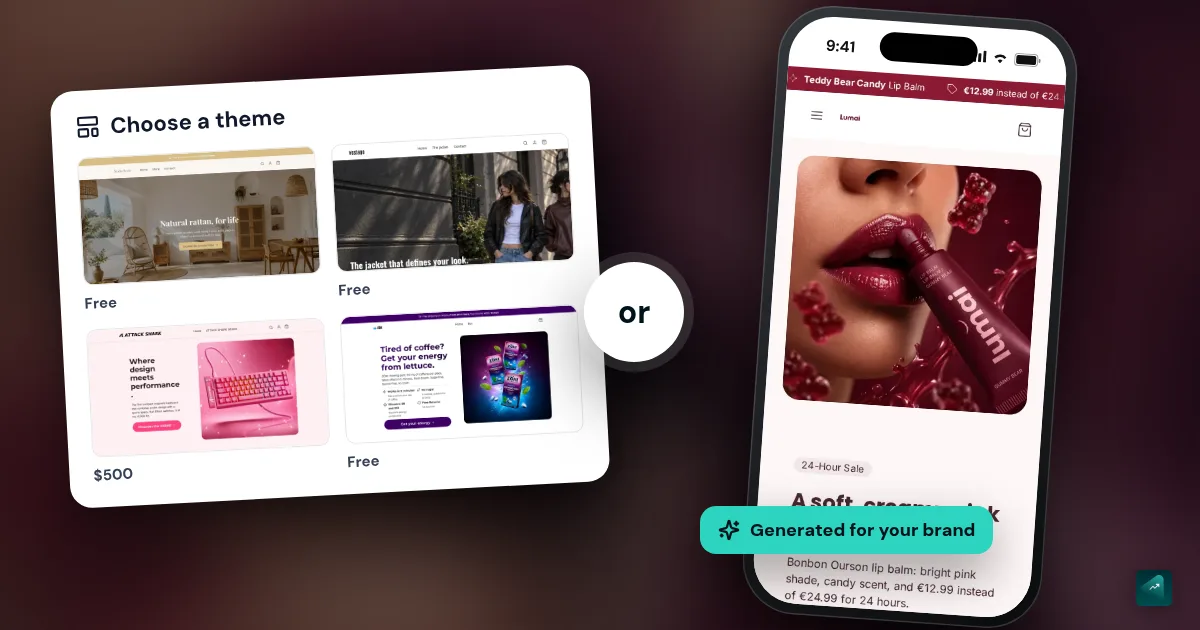
Wix has an AI site generator and Aria, an assistant to design and evolve your site. Shopify has Sidekick, an AI assistant included from the Basic plan to help run your store. Neither one hands you a complete store ready to sell.
On Wix, you describe your business and the generator builds a site you then customize. On Shopify, Sidekick answers your questions and helps you change settings in the admin. Either way, you still have to create the products, product pages, collections, pages, and selling settings.
That's where AI store builders made for Shopify come in. With Scale Ova, you describe your project and a complete Shopify store is generated, products, collections, and pages included: a median of 12 minutes between opening a project and the first store, according to the Scale Ova 2026 report. The full comparison is in the best AI store builders for Shopify.
The downsides of each
Wix mostly limits you as the store grows. Shopify mostly costs you in apps and gives you less layout freedom.
Wix downsides:
- The Light plan can't sell online, you need at least Core.
- The catalog is capped at 50,000 products and 1,000 variants per product.
- Some features, like multiple currencies or dropshipping beyond a small quota, require a higher plan.
- A Wix site's design doesn't move to another platform if you switch.
Shopify downsides:
- Only 3 options per product, versus 6 on Wix.
- Many features come from apps, and the subscriptions add up fast.
- An extra 2% on Basic if you don't use Shopify Payments.
- Less layout freedom: you work with your theme's sections, not a blank canvas.
Switching platforms later
Moving from Wix to Shopify is doable: your products export to CSV, but your design has to be rebuilt.
Wix exports your product list and its data to a CSV file (digital products excluded). Shopify imports products from a CSV in its own format, so you either reformat the columns or use a migration app. The design doesn't transfer: you rebuild the store on a Shopify theme.
That's why the starting choice matters. If you already know online sales will be the core of your business, starting on Shopify saves you a migration. Next, the complete guide to building your Shopify store walks through the launch step by step. If you're comparing other platforms: Shopify vs WooCommerce, Shopify vs PrestaShop, and the comparison of online store builders.
Going further
If you go with Shopify, Scale Ova generates your complete store from a description, in minutes. You browse it and edit it for free, and a Scale Ova subscription is only required to publish it to Shopify.
FAQ
Is Wix cheaper than Shopify?
How much does Shopify take from a $100 sale?
What are the disadvantages of Wix for an online store?
What are the disadvantages of Shopify?
Wix or Shopify for dropshipping?
Wix or Shopify for SEO?
/products/ for product pages), while Wix gives you more freedom. What gets you ranked is mostly the quality of your pages and content.