You renamed a product, deleted a collection, or left WooCommerce for Shopify. The old links now lead to an error page. A customer who clicks one lands on "Page not found," and Google eventually drops the page from its results. A redirect fixes that. It sends the visitor from the old URL to the new one without them noticing.
What a 301 redirect is for
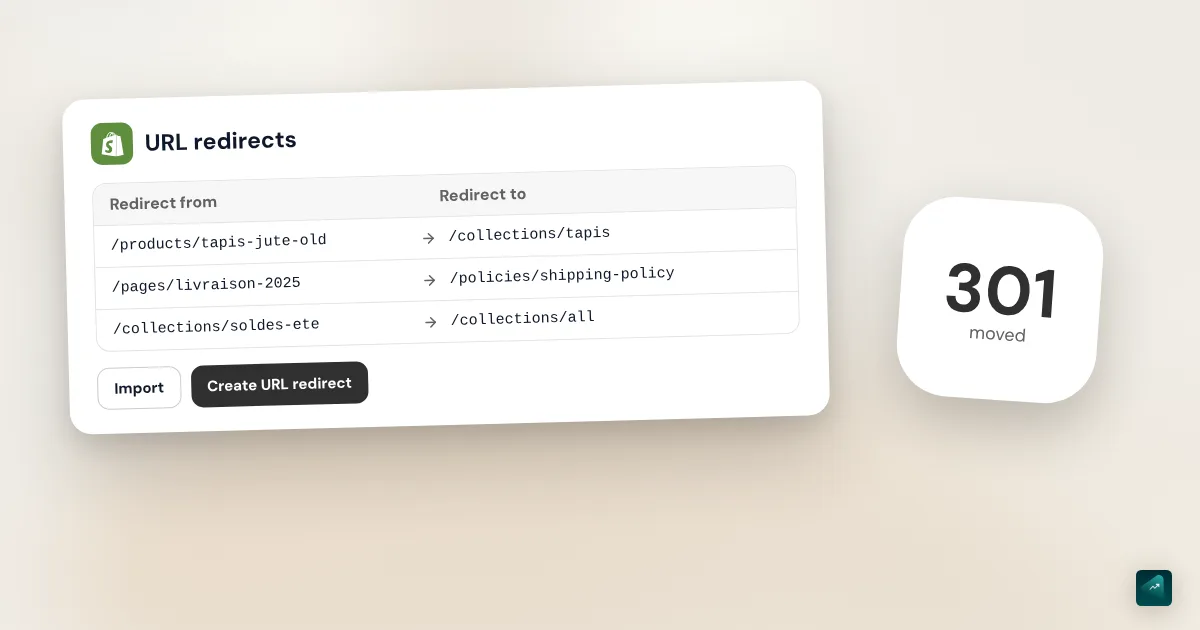
A 301 redirect tells the browser and Google that the page has moved for good. Google's documentation says its systems treat it as a strong signal. The new URL then replaces the old one in search results.
On a store, four situations keep coming up:
- You change a product's URL, for example to put a better keyword in it.
- You delete a product and want to send its visitors to a similar one.
- You're coming from another platform like WooCommerce or PrestaShop. Its URLs don't look like Shopify's.
- A broken link is still out there, for example in an old ad or an article about you.
In all four cases, the old URL returns a 404 error. That's exactly what lets Shopify redirect it.
How to create a URL redirect, step by step
Many tutorials still mention Online Store > Navigation. The Shopify Help Center now gives a different path.
- In your Shopify admin, go to Content > Menus.
- Click View URL Redirects.
- Click Create URL redirect.
- In Redirect from, enter the old URL, for example /products/vintage-berber-rug.
- In Redirect to, enter the new one, for example /collections/rugs.
- Click Save redirect.
For a page on your own store, a relative URL is enough, like /collections/rugs. To send people to another site, enter the full URL with https://. And to send them to your home page, Shopify just asks for /.
Then test it by typing the old URL in your browser. If it doesn't take you anywhere, clear your cache or try on your phone. Shopify says redirects start working immediately.
When you change the URL of a product or a page
The end of a product's URL is called the URL handle. You'll find it in the Search engine listing section of the product, behind the pencil icon. Shopify creates it from the title when you add the product.
When you edit that handle, Shopify can create the redirect for you. For a page, the Help Center describes a Create a URL redirect option, selected by default. For a collection, it mentions Create a URL redirect from the previous handle. Keep that box checked. Otherwise the old URL ends up as a 404.
The Help Center's product page doesn't describe this option. Shopify's API does provide the same redirect when a product handle changes, though. After each change, open the redirect list and check that the new line is there. If it's missing, create it by hand with the steps above.
Don't change the handle too often. The Help Center warns that a product whose handle keeps moving may drop out of search results. Pick it carefully once, at the start. The rest of the SEO settings are covered in the Shopify SEO guide.
How to import redirects by CSV
Past a dozen URLs, importing a file is faster. Shopify offers a sample file to download from its help page. It has two columns with these headers:
Redirect from,Redirect to
/product/berber-rug/,/products/berber-rug
/12-kilim-rug.html,/products/kilim-rug
/product-category/rugs/,/collections/rugs
Each row is one redirect. The first column takes the old URL, the second the new one. Build the file in a spreadsheet, then save it as CSV.
To import it:
- Go to Content > Menus, then click URL redirects.
- Click Import.
- Click Add File and select your CSV file.
- Click Upload file.
- Review the import preview.
- Click Import redirects, then Close.
The reverse works too. The Export button in the same list downloads your redirects as a CSV. Export before a big import, so you keep a copy of what was there.
Shopify allows up to 100,000 redirects per store, and 20 million on the Plus plan. These limits were checked on October 29, 2026. The Help Center suggests a third-party app for a very large number of redirects. For a migration of a few hundred products, the admin's CSV import is enough.
What Shopify won't let you redirect
This is where most redirects that "don't work" find their explanation. Shopify only redirects broken URLs. If the old URL still shows a real page, the redirect exists but does nothing.
The Help Center also lists URLs you can't redirect:
- those starting with /apps, /application, /cart, /carts, /orders, /services, or /shop;
- Shopify's fixed paths themselves, meaning /products, /collections, and /collections/all;
- reserved paths like /collections/vendors, /collections/types, /a/, /community/, and /tools/;
- collections filtered by tag, like /collections/rugs/wool, even when no product has that tag.
Don't misread the second rule. You can't redirect /products on its own. You can redirect /products/vintage-berber-rug, though, and the Help Center uses that very kind of example with a deleted product.
Two more cases cause trouble. A URL ending in .html can't point to the same URL without .html, because Shopify treats them as one. And a URL with parameters after a question mark might not work as expected.
Want to redirect a product that still exists? Set it to Draft first, or remove it from every sales channel. Its URL then returns a 404 and the redirect works. For a collection, set its online store visibility to Hidden. The Help Center warns about a side effect. If you make the collection visible again later, Shopify deletes the redirect on its own.
Redirects after a migration
Shopify organizes its URLs one way. A product lives under /products/, a collection under /collections/. Other platforms do it differently. WooCommerce puts its products under /product/ and its categories under /product-category/. PrestaShop ends its product URLs with .html, with a number before the name.
All those old URLs turn into 404s after the move. The Shopify Help Center recommends redirecting at least your important pages to keep your rankings. It also recommends setting them up before you transfer your domain. Customers who saved a link then reach the right page from day one.
The method takes three steps:
- List your old URLs. Start with the most visited pages of your old site, then add the rest of the catalog.
- Match each URL to its new page. An old product goes to the same product on Shopify, an old category to the matching collection.
- Import everything by CSV, then test the URLs that matter most one by one.
Make one redirect per page, not one blanket redirect. The visitor then lands on what they were looking for. If you're still weighing the move, the Shopify vs WooCommerce and Shopify vs PrestaShop comparisons break down what switching costs.
How to find the 404 pages to redirect
Not sure which URLs are broken? Google Search Console tells you for free. Open the Page indexing report. In the list of reasons pages aren't indexed, click Not found (404). You get the URLs Google tried to visit without finding a page.
Not all of them deserve a redirect. Google says a 404 isn't a problem when a page was removed with no replacement. Redirect the ones that have a real successor, or the ones that still get visits and links. Once your redirects are in place, click Validate fix so Google comes back to check.
If your store isn't connected to Search Console yet, the Shopify SEO guide shows how to verify your domain and submit your sitemap.
The traps that keep coming back
- Redirecting everything to the home page. It's the most common reflex, and Google advises against it. It says many old URLs sent to one unrelated page may be treated as a "soft 404" error. Send a deleted product to a similar product or to its collection instead.
- Redirecting the 404 page itself. A redirect from /404 to / stops the theme editor from showing your 404 page. The Shopify Help Center says to remove that kind of redirect.
- Chains. A redirects to B, which redirects to C. It happens when a URL changes several times. Google follows up to 10 hops, but recommends sending people straight to the final destination. When you change a URL that's already redirected, update the old redirect too.
- Loops. A redirects to B and B goes back to A. The browser shows an error, and Search Console files it under Redirect error. Reread both fields before saving.
- Deleting a redirect too soon. Google recommends keeping them for at least a year, and ideally forever. They cost nothing to leave in place.
- Deleting and recreating to test. Browsers cache 301 redirects. A deleted redirect can keep working on your device for a while. Test on another device.
Good news for stores in several languages. A redirect automatically applies to every language and market subfolder. A single row from /products/vintage-berber-rug to /collections/rugs also covers the /fr/ version of your store.
Doing it in one sentence with Ova
If your store is built with Scale Ova, you can ask Ova for a redirect instead of filling in the fields. For example: "The vintage Berber rug is no longer sold, redirect /products/vintage-berber-rug to the Rugs collection." Ova creates the redirect in your Shopify admin. It can also list your redirects, fix one, or delete some. It asks you to confirm before deleting anything. Ova creates them one at a time. For hundreds of URLs after a migration, the admin's CSV import is still faster.
FAQ
How do you create a 301 redirect on Shopify?
Why isn't my Shopify redirect working?
How do you redirect a deleted product on Shopify?
How do you bulk import redirects on Shopify?
How many redirects can you create on Shopify?
Can you redirect every 404 page to the home page?
Can you redirect to another website?
How is this different from the store's automatic redirection?
Sources
- Shopify Help Center, Creating and managing URL redirects: steps and labels, blocked prefixes and fixed paths, 100,000-redirect limit, CSV import and export, sample file, subfolders, 301 caching, /404 redirect, checked October 29, 2026
- Shopify Help Center, Adding and editing pages: preselected Create a URL redirect option, checked October 29, 2026
- Shopify Help Center, Managing collection settings: redirect from a collection's previous handle, checked October 29, 2026
- Shopify Help Center, Adding and updating products: Search engine listing section, URL handle field, checked October 29, 2026
- Shopify Admin API documentation, ProductUpdateInput: redirectNewHandle field, redirect from a product's old handle, checked October 29, 2026
- Shopify Help Center, Migrating from WooCommerce: redirects before the domain transfer, most visited pages, CSV import, checked October 29, 2026
- WooCommerce documentation, Permalinks: /product/ and /product-category/ bases, checked October 29, 2026
- PrestaShop 1.7 documentation, SEO and URLs: default product route ending in .html, checked October 29, 2026
- Search Console Help, Page indexing report: Not found (404), soft 404, Redirect error, Validate fix, checked October 29, 2026
- Google Search Central, Redirects and Google Search: permanent redirects and search results, checked October 29, 2026
- Google Search Central, HTTP and network errors: 301 as a strong signal, 10 redirect hops, checked October 29, 2026
- Google Search Central, Site moves with URL changes: mass redirects to one page, chains, keeping redirects at least a year, checked October 29, 2026