Every visitor you bring to your store costs you something. It's either time spent on content or money spent on ads. Most leave without buying and you never see them again, unless you have their email address.
Email is the channel you actually own. No auction pushes its price up, and no algorithm changes the rules on you. Nobody can suspend your account overnight either. It's also the channel that brings past buyers back without paying for ads again.
The whole article follows the same whole-bean coffee store as in customer retention. It's a made-up example. The store just opened on Shopify and doesn't have a single subscriber yet.
Before your first send: three settings
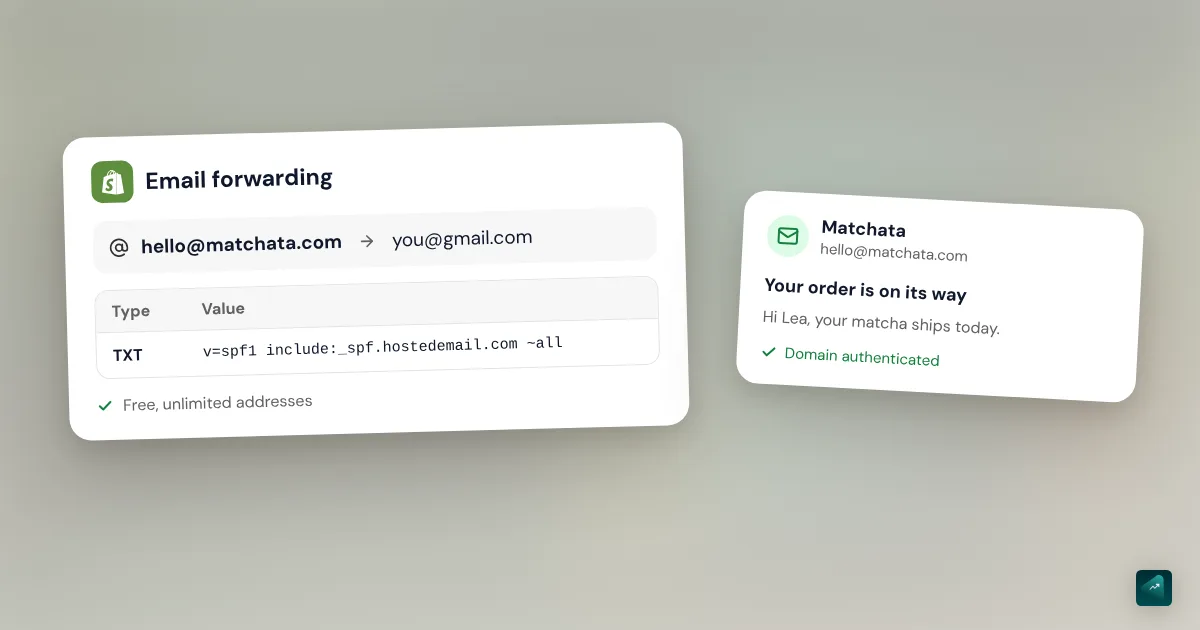
1. A sender address on your own domain. The address your customers see is set in Settings > Notifications, where it's called your Sender email. If your domain isn't authenticated, Shopify rewrites it as store+123@shopifyemail.com. Your emails are then more likely to land in spam.
- Domain bought through Shopify. SPF, DKIM and DMARC are set up for you.
- Domain on Cloudflare, GoDaddy or IONOS. In the Sender email section, click Email domain authentication. Shopify then sets up the records for you.
- Domain anywhere else. Add the CNAME records Shopify gives you at your domain host. Then add a minimal DMARC TXT record,
v=DMARC1; p=none;. Gmail and Yahoo require it to send from a branded address.
You can't authenticate a free address like Gmail or Outlook, since you don't control its domain. Use something like hello@yourdomain.com instead. To create it, Shopify business email compares free forwarding with a real inbox.
2. The consent checkbox at checkout. In Settings > Checkout, go to Marketing opt-in and check Email. A checkbox then appears at checkout so customers can agree to your emails. By default, the Regions you choose option is on with no region selected. That means the box is never pre-checked. For customers in the EU and UK, it has to stay unchecked because they must opt in themselves.
The default text next to the box talks about news and offers. If you send abandoned cart emails, Shopify asks you to update it. You can do that in the same section.
3. Two free apps made by Shopify. Shopify Messaging sends your emails, plus SMS or WhatsApp messages if you want them. Shopify Forms builds your pop-up and signup forms. Messaging is available on the Basic, Grow, Advanced and Plus plans. On the Shopify App Store on September 24, 2026, Messaging was rated 4.7 from 4,482 reviews. Forms was rated 4.4 from 723 reviews.
Step 1: get your first subscribers
Nobody signs up for "the newsletter." People sign up to get something, so give them a real reason:
- A welcome code for the first order. It's the classic and it works, but it costs margin. Build an offer that converts shows what it really costs you.
- A gift instead of a percentage. On r/ecommerce, a merchant took over email for a clothing brand. They say they tested more than 50 pop-up versions over 7 months. The pop-up's signup rate went from 2.8% to about 7%. The winning offer was "a free accessory when you spend $100."
- Useful content, like "how to pick the right grind for your brewer" for the coffee store.
- Early access to new origins or limited batches.
Also say what people will get and how often. That promise sets your campaign schedule later on.
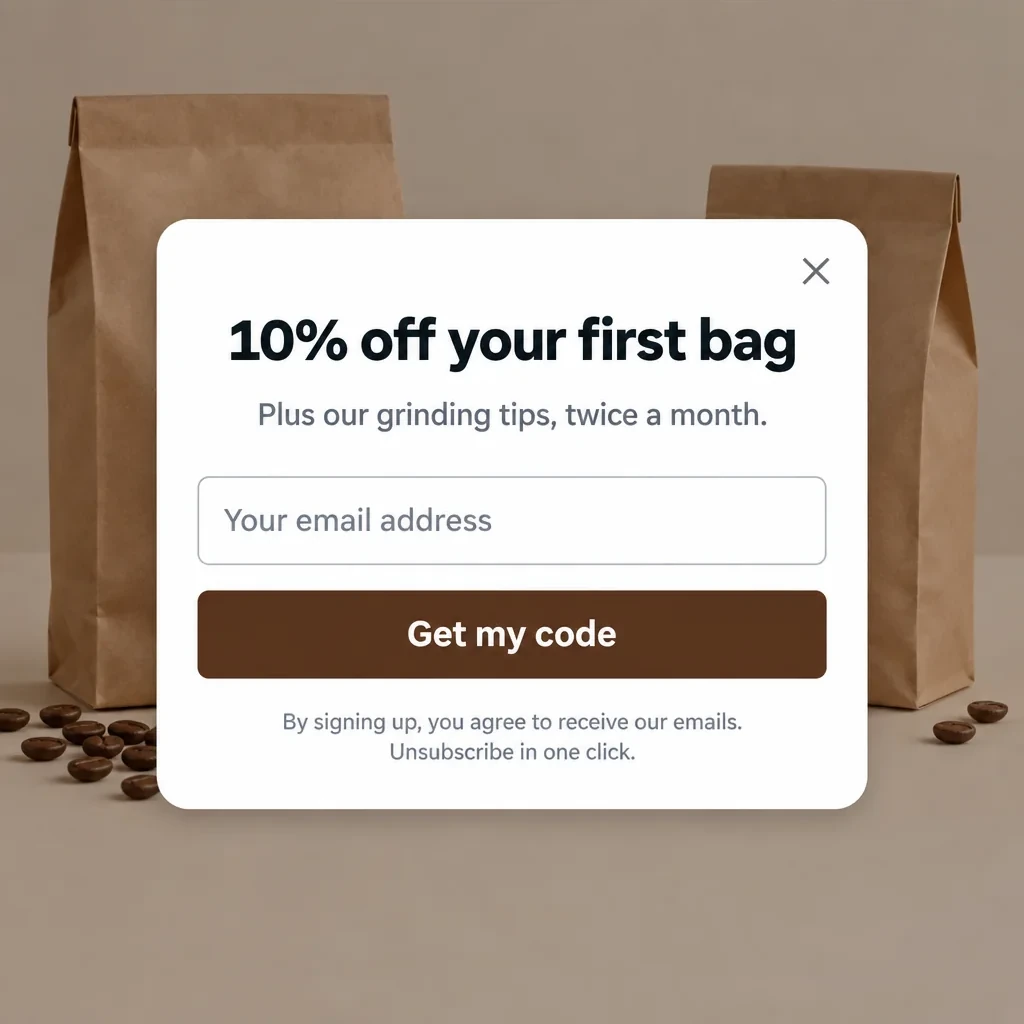
Where to put your forms:
- A pop-up that shows after a few seconds on the site or when the visitor is about to leave. Don't make it open the moment they land.
- The footer, which appears on every page. Addresses left in your theme's newsletter form go to the Email subscribers segment on the Customers page.
- The checkout checkbox you set up above. On r/ecommerce, one merchant calls it underrated. In their words, "someone who's already buying is way more likely to subscribe than a random visitor who just landed on your homepage."
- Moments when the visitor already has a reason to sign up. Think back-in-stock alerts, a product quiz or post-purchase content. Another merchant in the same thread says those subscribers "will usually be more valuable than people captured through increasingly aggressive popups."
Double opt-in. The new subscriber gets an email and has to click a link to confirm. Your list grows more slowly, but fake addresses and typos stay out. To turn it on, go to Settings > Notifications > Customer notifications. Under Marketing double opt-in, select Customer marketing confirmation. Shopify notes that some countries require it by law. It also adds a dedicated checkbox for stores based in Germany. If you turn it on, change the message shown after signup so people know to check their inbox.
Step 2: the three automations to turn on first
These are emails you write once that go out on their own at the right moment. Shopify Messaging offers eleven of them as templates. Start with these three:
| Shopify Messaging template | When it sends | What it does |
|---|---|---|
| Welcome new subscribers with a discount series | When someone subscribes through a form on your store | One email with the discount, then 2 brand emails, then a discount reminder if no purchase followed |
| Recover abandoned checkout | When a customer starts checkout but doesn't finish | Reminds them of their cart. Free, outside your quota |
| Thank customers after they purchase | After the first and second purchase | Says thank you and sets up what comes next |
For each one, go to Apps > Messaging > Automations > Create automation and pick the template. Click Edit email to write your copy. Send yourself a test with Send test, then click Turn on.
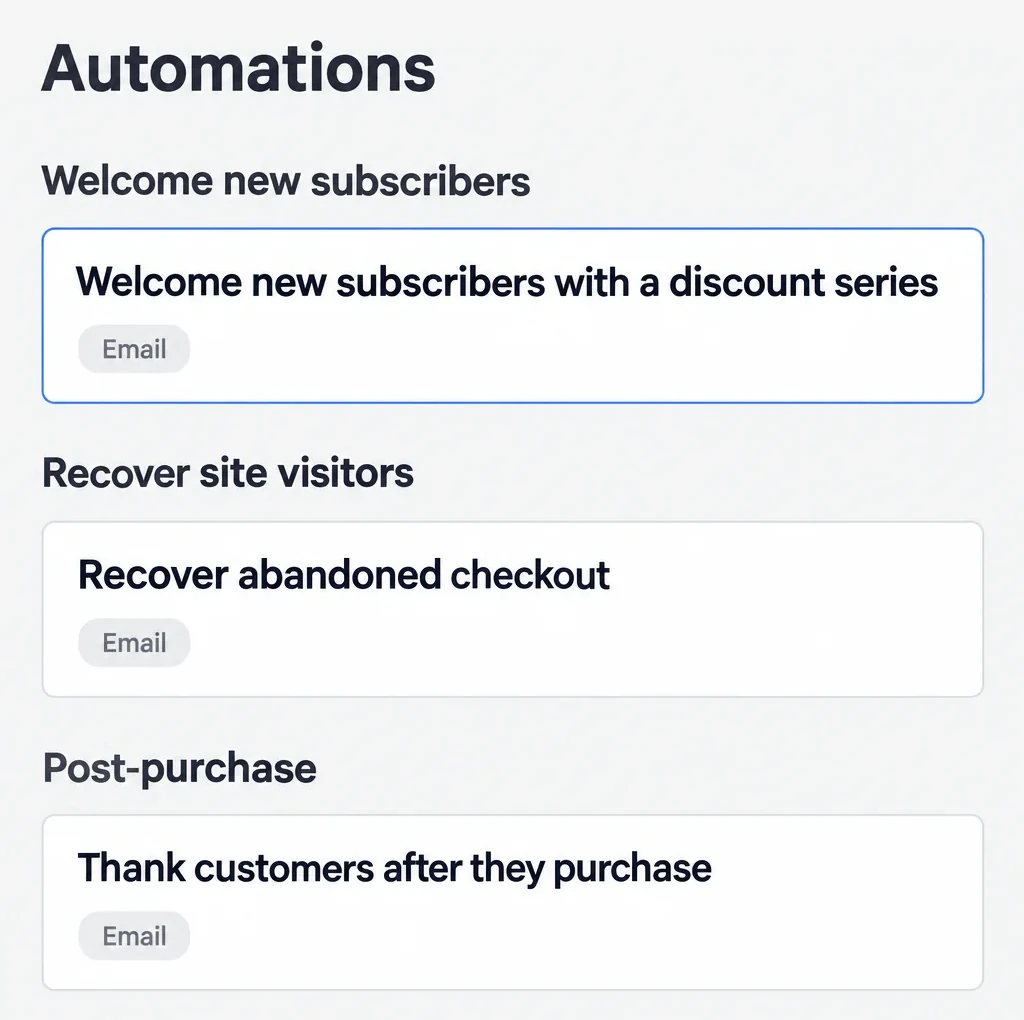
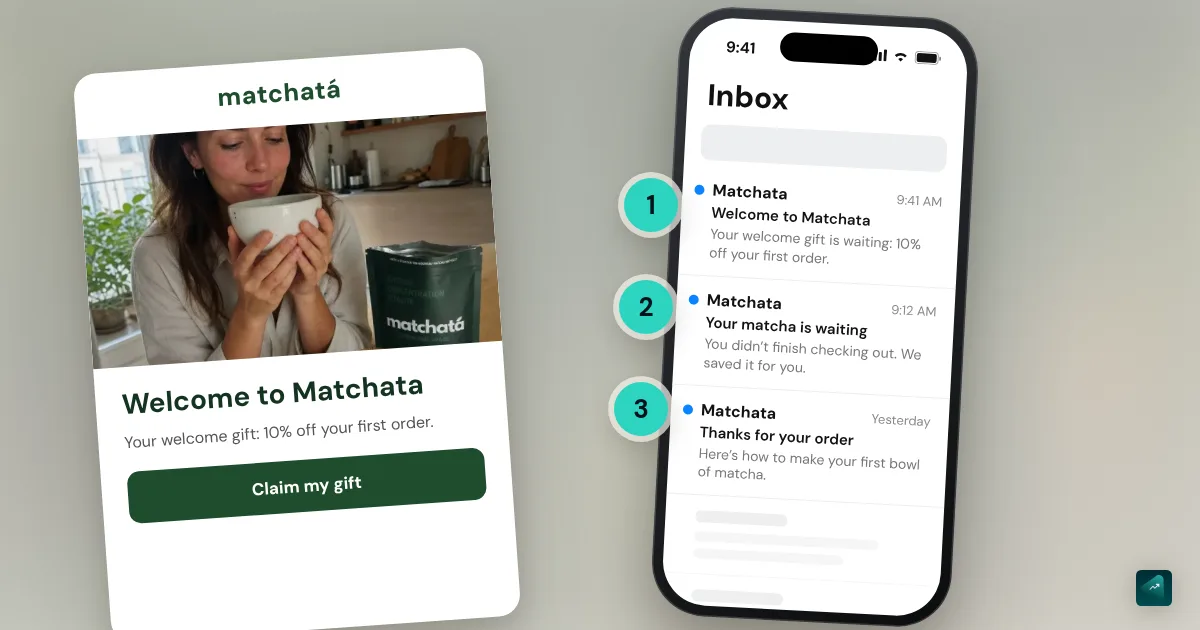
The welcome series. The template sets the structure and you write the content. For the coffee store, that means four emails:
- Right away, you send the promised code. You also remind people what's coming, which here is tips twice a month.
- The second email tells the store's story. Say where the beans come from and who roasts them. This is where your message from sell the problem, not the product goes. Here, it's a morning coffee that finally tastes like something.
- The third email covers which grind suits which brewer. It's useful without being salesy.
- The reminder goes out only if nothing was bought. It says the code expires soon.
On r/Emailmarketing, one commenter sums up the difference between the first two automations: "Abandoned cart captures demand, welcome flow shapes it." Still, don't judge your campaigns against your welcome series. As another commenter points out, the series reaches people at their most curious. A campaign also goes to people who signed up eight months ago.
Abandoned checkout recovery. It's the fastest earner, and it's free. These emails don't count toward your Shopify Messaging quota. By default it only goes to subscribers. In the email editor, you can switch the To: field to All customers. In the US that's allowed as long as each email follows CAN-SPAM. For shoppers in the EU, stick to subscribers. Consent rules there only exempt people who have actually bought from you. Abandoned cart recovery covers timing, copy and whether to add a discount.
The post-purchase thank-you. It doesn't sell anything right away. It thanks the customer and gives the right dose and storage tips. It also answers questions before they come up. What comes next, like replenishment reminders or the second-order offer, is in customer retention.
What's next? Once these three are running, move on to the next templates. Recover abandoned cart targets a filled cart where checkout never started. Convert abandoned product browse comes after that. Win back customers is for people who haven't ordered in a long time. Watch your quota, because every automation except abandoned checkout counts toward your 10,000 monthly emails.
Step 3: campaigns, at the pace you promised
A campaign is an email you send once to your subscribers, or to a slice of them. For the coffee store, it could be:
- A new origin or a restock;
- A tip, like storing beans, dialing in a grinder or making better pour-over;
- An offer tied to a date, like a launch, Father's Day or the holidays.
Your schedule is the one you promised. The example pop-up says two emails a month, so stick to that. On r/ecommerce, the debate gets heated. The pop-up merchant recommends three emails a week, "highly segmented to avoid list fatigue." One reader answers: "If I get anything remotely close to 3 emails per week from a brand, it's an instant unsubscribe." The first merchant's reply settles it: "That's why segmentation is important. The same customer does not receive 3 emails per week, only 1." So what matters is emails per person, not per list.
Simple segments. In Shopify, a segment updates itself. Two are enough to start:
- Subscribers who never bought, with
email_subscription_status = 'SUBSCRIBED' AND number_of_orders = 0. They get the guide and a longer welcome offer. - Customers, with
email_subscription_status = 'SUBSCRIBED' AND number_of_orders >= 1. They get new origins and how-to tips.
On r/shopify, a merchant who moved from Klaviyo back to Shopify says Shopify's segmenting "has come on in leaps and bounds in the last couple of years."
Shopify Messaging or Klaviyo: do the math
They don't bill for the same thing. Shopify Messaging counts emails sent. Klaviyo counts the profiles you can reach, even people who never subscribed.
| Shopify Messaging | Klaviyo (email) | |
|---|---|---|
| Free | 10,000 emails a month on the Basic, Grow, Advanced and Plus plans | Up to 250 active profiles and 500 emails a month |
| After that | $1 per 1,000 emails, up to 300,000 | 500 profiles: $20/month; 1,000: $30; 1,500: $45; 2,500: $60; 5,000: $100 (10 emails per profile per month) |
| What counts | Each email sent; abandoned checkout emails are free | Each active profile, whether they consented or not |
Prices from the official pages on September 24, 2026, in US dollars.
What Klaviyo actually counts. An active profile is "any profile, regardless of consent status, that can be emailed through Klaviyo." So a customer who gave their address at checkout without checking the box counts. If you go over your tier, Klaviyo moves you up at the end of the billing cycle. You can suppress or delete profiles, but the count takes up to 72 hours to refresh.
The worked example. A year in, the coffee store has 1,200 subscribers and 800 buyers who didn't check the box.
- Klaviyo counts 2,000 active profiles. That puts the store in the 2,500 tier, at $60 a month.
- Shopify Messaging counts emails. Two campaigns a month to 1,200 subscribers make 2,400 emails. A 4-email welcome series for 150 new subscribers adds 600, plus 200 post-purchase thank-yous. The total comes to about 3,200 emails. That's under the 10,000 free, so $0.
On r/shopify, a merchant finds a Klaviyo bill of $325 a month for 11,000 contacts. Only 3,000 of them opened anything in six months.
What merchants say. In an r/shopify thread, a clothing store asks whether it's missing out by staying on Shopify instead of Klaviyo. The answers:
- "We went from klaviyo back to Shopify. [...] Klaviyo is objectively more powerful, but for our tiny team of 3 it was more than we could really take full advantage of. [...] Our open and click through rates are about the same as they were through Klaviyo."
- "If you haven't gotten to a point of wanting to set something up and not being able to due to the constraints of the platform, don't change. [...] It is not a low maintenance platform."
- Another sets a threshold. Stay on Shopify until roughly 5,000 engaged profiles, or until "send to everyone" newsletters stop working. And never run half your flows in one tool and half in another during a migration. Suppression lists stop syncing and people get emailed twice.
When to move on. Switch when you're stuck on something specific. That could be automations with conditions and branches, segments based on how people engage with your emails, or a design the Shopify editor can't do. Klaviyo isn't the only option, and merchants in these threads also mention Omnisend, Brevo and MailerLite.
CAN-SPAM, and consent outside the US
The FTC sums up CAN-SPAM in a few rules for every commercial email:
- No false or misleading header information. The "From," "To" and "Reply-To" must identify you.
- No deceptive subject lines.
- Say it's an ad, clearly.
- Include your valid physical postal address. That can be a street address, a USPS post office box or a registered private mailbox.
- Explain how to opt out, clearly and for free. You must honor opt-outs within 10 business days.
- You stay responsible even if an app or agency sends for you.
Each email that breaks the law can cost up to $53,088. The FTC's list doesn't include getting permission first. It covers how you send and how people can leave. Consent is required elsewhere, though. In the EU and the UK, you need people's prior consent to send them marketing email, with a box they check themselves. The main exception is past customers, for similar products.
On Shopify's side, a subscriber leaves your list when they click Unsubscribe or mark your email as spam. They also leave if they opt out from their account. An address that bounces is suppressed from future sends.
Landing in the inbox, not in spam
- An authenticated domain, which is setting no. 1 above. Gmail requires SPF or DKIM from every sender.
- A spam complaint rate under 0.3%, per Gmail's sender guidelines. The safest way to get there is to only email people who actually signed up.
- Never a bought or scraped list. If you import customers, Shopify recommends checking every name and address first.
- A visible unsubscribe link. A reader who can't find the way out hits "spam" instead, and that hurts far more.
- Clean out inactive subscribers. An r/shopify merchant does it with an automation. A subscriber with no engagement for 90 days gets a win-back email. With no response, they're removed from the list.
Measure clicks and sales, not opens
On iPhone, Mail Privacy Protection stops senders from seeing whether you opened their email. The setting is called Protect Mail Activity. Your open rate is skewed, usually upward. Watch these numbers instead:
- Clicks and orders attributed to each email, in Shopify Messaging's reports.
- Unsubscribes after each campaign. A spike means the content or the pace is off.
- The share of your revenue that comes from email, month over month. On r/shopify, one merchant puts it at 25 to 30% for a clothing brand, mostly from automations. That's one merchant's view and not a standard, but it gives you a ballpark.
For more on reading your numbers, see how to read campaign metrics.
FAQ
Is Shopify email marketing free?
Shopify Messaging or Klaviyo for a small store?
Why are my Shopify emails going to spam?
shopifyemail.com. It can also come from emailing people who didn't sign up, or from too many spam complaints. Authenticate your domain in Settings > Notifications and keep complaints under 0.3%.How many marketing emails should I send a month?
How do I get my first email subscribers?
Do I need permission to send marketing emails?
Which emails should I set up first?
What's the difference between a newsletter and email marketing?
Do open rates still mean anything?
Sources
- Shopify Messaging email pricing, Shopify Messaging marketing automations and Creating and managing marketing automations, Shopify Help Center, accessed September 24, 2026
- Collecting customer contact information (consent checkbox, double opt-in) and Email subscriber list management, Shopify Help Center, accessed September 24, 2026
- Setting up your email (sender email, authentication, DMARC), Shopify Help Center, accessed September 24, 2026
- Shopify Messaging and Shopify Forms listings, Shopify App Store, accessed September 24, 2026
- Klaviyo pricing and How Klaviyo billing works (active profiles), accessed September 24, 2026
- CAN-SPAM Act: A Compliance Guide for Business, FTC, accessed September 24, 2026
- Email sender guidelines, Gmail Help, accessed September 24, 2026
- Use Mail Privacy Protection on iPhone, Apple Support, accessed September 24, 2026
- Commercial prospecting by email, SMS and automated calls (in French), CNIL, accessed September 24, 2026
- r/shopify threads accessed September 24, 2026: Am I missing out by using Shopify emails vs Klavyio?, Klaviyo is charging me for 11,000 contacts but only 3,000 of them have opened anything in the last 6 months
- r/ecommerce threads accessed September 24, 2026: What is the best way to grow email lists without relying only on popups?, Email revenue went from 18% to 32%. Here's everything I changed
- r/Emailmarketing thread accessed September 24, 2026: Idk if anyone else noticed this but welcome flows are lowkey carrying entire email programs