You just opened your Shopify store as a micro-entrepreneur in France. In the settings, you find a whole page about taxes. It talks about VAT numbers, a One-Stop Shop and even micro-businesses. You don't know what to tick, and you're afraid of charging VAT you have no right to collect.
This guide walks through the setup screen by screen for a micro-entrepreneur under the VAT exemption. Then it shows where the "TVA non applicable" statement goes and what changes once you pass the thresholds. It isn't tax advice. For an unusual case, your accountant or your business tax office (SIE) has the final word. If you're still wondering whether you need a registered business, start with selling on Shopify without a registered business.
The principle: no registration, no VAT collected
Under the VAT exemption, you sell without VAT. You don't file VAT returns and you don't reclaim VAT on your purchases. That's the rule service-public sets out on its VAT exemption page.
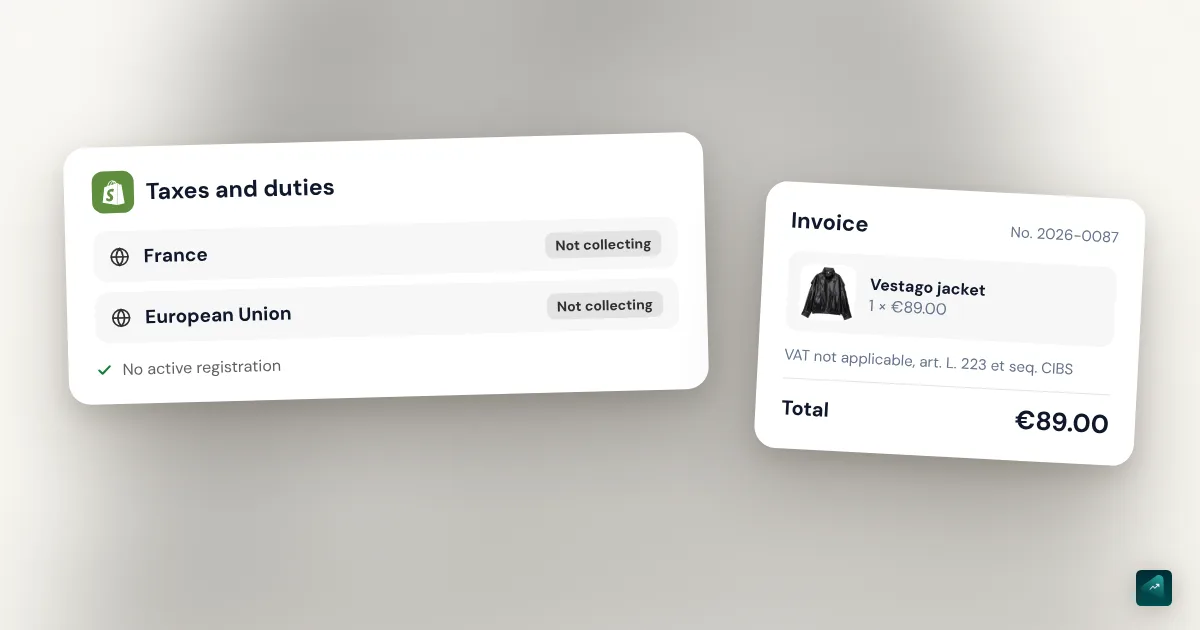
Shopify follows a simple logic. Since September 2024, it only collects VAT in countries covered by a VAT registration you've entered. With no registration for France, an order shipped in France carries no VAT.
So you have nothing to enter. Your job is to check that no registration is lingering, then confirm it with a test order.
Setting up Shopify under the VAT exemption, step by step
Check that no VAT registration is active
- In your Shopify admin, go to Settings > Taxes and duties.
- In the Regional settings section, click European Union.
- Look at the Shipping from within the EU to the EU section. It holds two blocks, Collect VAT in an EU country and Collect VAT cross-border.
- If no country or VAT number shows there, you have no registration. That's the right state under the exemption.
- If a registration shows for France, open the menu next to the region to edit or delete it. Then click Save.
You may wonder why you should check when you never entered anything. In September 2024, Shopify itself added registrations with a blank VAT number. It did so in EU countries where a store had already made sales. A brand-new store is unlikely to have one. An older store, or one you took over from someone, might.
Don't pick the micro-business registration
This is the real trap on that page. In the Collect VAT cross-border block, Shopify offers a micro-business registration. Its option is called Collect using your home country registration. The name sounds like the French micro-entreprise, but it has nothing to do with the VAT exemption.
That option is for a business that already charges VAT in its home country. It lets that business apply its home rate to sales elsewhere in the EU, as long as they stay under €10,000 a year. Shopify's help says it collects VAT on both local and cross-border orders. For a micro-entrepreneur under the exemption, it would add French VAT to every order. It also asks for a VAT number, which you don't have.
Some guides online still tell micro-entrepreneurs to pick it. If you did, remove it.
Prices with or without tax: what it changes under the exemption
The Tax calculations section of the same page sets whether taxes are included in your prices. While you're under the exemption, this choice doesn't change what your customer pays. Shopify collects no VAT, so the displayed price is the price paid.
The setting still has a visible effect. Some themes show "Taxes included" under the price when the option is on. Depending on your theme, the price block lets you hide that line. The choice really matters the day you start charging VAT, which we cover below.
Place a test order
The only way to be sure is to see checkout the way your customer does. Place a test order with a shipping address in France. The summary shouldn't show any VAT line. Repeat the test with an address in Belgium or Germany, and the result should be the same. The complete guide to building a Shopify store explains how to place that order in test mode without real payment.
Where the "TVA non applicable" statement goes
Which wording to use in 2026
Under the exemption, every invoice must carry a statement explaining why there's no VAT. Without it, you risk a tax reassessment during an audit, according to service-public.
That statement changed on September 1, 2026. France moved its VAT rules into a new code, the code des impositions sur les biens et services. The statement now reads "TVA non applicable, art. L. 223 et s. du code des impositions sur les biens et services (CIBS)". The old one, "TVA non applicable, art. 293 B du code général des impôts", stays accepted until December 31, 2027.
You're probably searching for "293 B" because everyone quotes it. It's still valid today. If you're building your invoice template now, use the new wording instead. Service-public advises updating your templates as soon as you can.
On your invoices
Shopify doesn't create invoices numbered the French way. Your invoice comes from an invoicing app, or from Order Printer, a free app made by Shopify. In an invoicing app, add the statement to the app's invoice template. In Order Printer, you write it into the invoice template, which you edit in HTML and Liquid. Check the result on your first invoice. Choosing an app and what e-invoicing changes are covered in France e-invoicing for Shopify stores.
In the order confirmation email
The order confirmation email isn't an invoice. Adding the statement still helps a customer who wonders why there's no VAT. Shopify's help shows how to add a tax number to that template, and the method is the same for a statement.
- Go to Settings > Notifications.
- Click Customer notifications, then the order confirmation notification.
- Click Edit code.
- In Email body (HTML), add your statement near the total, inside a simple
<p>tag. - Click Preview, then Send test email to see how it looks.
- Click Save.
Keep the edit short. According to Shopify's help, a customized template misses some automatic additions, such as the duties line. If you make a mistake, reverting the template restores the default version.
When you pass the exemption thresholds
The 2026 thresholds
| Activity | Base threshold | Upper threshold |
|---|---|---|
| Sale of goods | €85,000 | €93,500 |
| Services | €37,500 | €41,250 |
For a store selling products, here's how it works. If your yearly revenue passes €85,000 without reaching €93,500, you keep the exemption until December 31. You charge VAT from the following January 1. If you pass €93,500 during the year, VAT applies from the day you cross it.
These thresholds didn't change in 2026. The single €25,000 threshold planned in the 2025 Finance Act was dropped. Service-public says so on its exemption page, which I reread on October 29, 2026.
Don't confuse these thresholds with the micro-entreprise ceiling. That ceiling is €203,100 for the sale of goods. So you can lose the VAT exemption and still be a micro-entrepreneur.
Turn VAT on in Shopify
- Get your intra-EU VAT number. Under the exemption, your SIE didn't assign one automatically. Request it through the secure messaging of your professional account on impots.gouv.fr. The number starts with FR, followed by a two-digit key and your SIREN.
- Go to Settings > Taxes and duties, then click European Union under Regional settings.
- In the Collect VAT in an EU country block, click Collect VAT.
- Select France and enter your VAT number.
- Click Collect VAT to confirm.
- Place another test order. French VAT should now show at checkout.
Do it on the right date. VAT turned on late is still owed on the sales you already made.
Decide who pays the VAT
This is where the tax-included setting starts to matter. Take a product listed at €30, at the standard 20% rate. If your prices include taxes, your customer still pays €30. Shopify counts €5 of it as VAT, and you keep €25. If your prices don't include taxes, Shopify adds €6 at checkout and your customer pays €36.
In the first case, your margin shrinks. In the second, your customer sees a higher price at checkout. Redo your margin math before you switch. Some products fall under a reduced rate. Shopify handles them with an override on a collection, on the same tax page.
Your invoice changes too. The exemption statement goes away. Instead, the invoice shows your VAT number and the rate for each product, with totals before and after VAT.
What if you want to charge VAT before the thresholds?
You can, and it's called opting for VAT. It can make sense if you buy a lot of equipment, since you then reclaim VAT on your purchases. You request it in writing from your SIE. It takes effect on the first day of the month you file it. You can't drop it right away, since it commits you for several years. Talk to an accountant first, because your prices go up for consumers.
Selling to customers in other EU countries
An order from a consumer in Belgium or Germany is an intra-EU distance sale. What counts is the total of those sales before VAT over the calendar year, across all EU countries.
Under €10,000 a year, you stay in the simple case. According to service-public, a seller under the exemption then has no VAT to report on those sales. Your Shopify setup doesn't change.
Above €10,000, the sale falls under the VAT of your customer's country. Even under the exemption, you then need an intra-EU VAT number. To report that VAT, you can register in each country involved. You can also use the One-Stop Shop, called OSS. It lets you report and pay everything from France, through your professional account on impots.gouv.fr. Registration takes effect on the first day of the quarter after your request.
In Shopify, the One-Stop Shop goes in the Collect VAT cross-border block. Choose Collect using a One Stop Shop (OSS) registration. Shopify's help says this registration only collects VAT on orders shipped to another EU country. Orders delivered in France stay VAT-free as long as you don't add a local registration. It also requires your store to use Shopify Tax or Basic Tax to calculate taxes.
This case mixes two regimes and rarely comes up at launch. Have an accountant check your setup before you register.
There's also an EU-wide VAT exemption. It lets you sell without VAT in other EU countries, provided you first notify the French tax authority. Your revenue must stay under €100,000 across the whole EU, France included. Set it up with an accountant.
Products you import
The exemption only covers what you sell. On what you import from outside the EU, you pay VAT like everyone else. And because you're under the exemption, you can't reclaim it. Service-public spells this out on its exemption page. What that costs on a parcel from China, including the €3 customs duty, is covered in starting an online store without inventory.
Dropshipping from China raises one more question. Shopify's help says that since March 2026, France requires the seller to register for French VAT in one specific case. It's when the customs value differs from the price the customer paid, which happens in almost every dropshipping order. I didn't find this rule spelled out on service-public or impots.gouv. Before you launch a dropshipping store, ask an accountant.
What Shopify doesn't do for you
Shopify calculates and collects VAT based on your settings. It doesn't file it and doesn't track your thresholds. Its help says it's up to you to check whether you pass a registration threshold. Track your revenue every month, especially as you get close to €85,000.
Your own Shopify invoices raise a question too. Your plan and your payment fees are services you buy from a business. When the provider is based in another EU country, service-public says you need an intra-EU VAT number, even under the exemption. Check who bills you on your Shopify invoices, and ask your SIE.
Where does Ova fit?
Ova doesn't set up your taxes or create your invoices. Tax settings and bookkeeping stay on your side. Ova handles the rest of the store, from the theme to the legal pages. For example, you can tell it "remove the Taxes included line under prices on product pages". Describe your project to Scale Ova. Generating is free, and the subscription only comes in when you publish to Shopify.
FAQ
Do I need to enter a VAT number in Shopify as a micro-entrepreneur?
How do I turn off VAT on Shopify?
Where do I put "TVA non applicable, art. 293 B du CGI" on Shopify?
Is the 293 B wording still valid in 2026?
Should Shopify prices include tax under the exemption?
What happens if I pass €93,500 during the year?
I sell to customers in Belgium. Do I charge Belgian VAT?
Does Shopify file VAT for me?
Sources
- Service-Public Entreprendre, VAT exemption (franchise en base): 2026 thresholds of €85,000 and €93,500, €25,000 threshold dropped, effective date when crossing, invoice statement, opting for VAT, non-deductible import VAT, checked January 1, 2026, read October 29, 2026
- Service-Public Entreprendre, all about invoicing: new CIBS wording from September 1, 2026, tolerance until December 31, 2027, checked August 7, 2026, read October 29, 2026
- Service-Public Entreprendre, required invoice details: VAT number, rate, totals before and after VAT, checked August 11, 2026
- Service-Public Entreprendre, VAT on goods traded within the EU: distance sales, €10,000 threshold, One-Stop Shop, EU-wide exemption, checked October 8, 2025, read October 29, 2026
- Service-Public Entreprendre, intra-EU VAT number: number format, when an exempt business must request one, checked March 3, 2025, read October 29, 2026
- Service-Public Entreprendre, micro-entreprise thresholds: €203,100 for the sale of goods, checked February 21, 2026
- BOFiP, VAT standard rate: 20% standard rate in mainland France
- Shopify Help Center, setting up EU taxes: paths and labels for local, OSS and micro-business registrations, Shopify Tax or Basic Tax for OSS, read October 29, 2026
- Shopify Help Center, managing your EU taxes: editing or removing a registration, Tax calculations section, overrides, read October 29, 2026
- Shopify Help Center, EU tax reference: VAT only collected with a registration, registrations added in September 2024, OSS and micro-business coverage, dropshipping and French VAT since March 2026, read October 29, 2026
- Shopify Help Center, customizing notification templates: editing a notification's code, adding a tax number, reverting a template, read October 29, 2026
- Shopify Help Center, Order Printer: invoice templates in HTML and Liquid, read October 29, 2026