An abandoned cart isn't a lost customer. It's someone who found your product and wanted it enough to add it, then stopped. Maybe they were interrupted, or they wanted to compare. They may also have discovered the shipping cost, or not had their card at hand.
The Baymard Institute puts the average abandonment rate at about 70%. Out of ten people who put a product in their cart, seven leave without paying. Recovering even a small share of those carts brings you sales you've already paid for in traffic.
First, reduce abandonment
A recovery email brings back distracted customers, rarely the ones something put off. If your customer left because shipping was too expensive or too slow, reminding them of their cart won't change anything. So before polishing your reminders, check the main causes.
- Costs discovered at checkout. It's the top reason for abandonment according to Baymard (40%). Show shipping on the product page, and set a free shipping threshold.
- Delivery time. Show it before checkout, not during.
- Payment. Offer guest checkout, with Apple Pay, Google Pay, Shop Pay and PayPal.
It's all detailed in set up shipping and payments on Shopify. Once those leaks are fixed, recovery does the rest.
Abandoned cart or abandoned checkout
Shopify separates two situations.
- Abandoned checkout. Your customer started paying and entered their email, then left. Shopify knows their address and can write to them.
- Abandoned cart. They added a product but never started checkout. If you don't know their email, you can't follow up by email.
That's why a signup form with a welcome code is useful. It gets you the email of visitors who won't reach checkout. The article on email marketing for a small store explains how to set it up.
Turn on recovery in Shopify
Shopify offers two versions of this recovery email. The legacy one stays available until it's removed, and then you'll have to switch to the new one. The new one gives you more control over when the email goes out and to whom. If your admin shows the Abandoned checkout emails by Shopify automation, you're still on the legacy one.
With the legacy recovery email
- In your Shopify admin, open Apps > Messaging > Automations.
- In the Abandoned checkout emails by Shopify automation, open the menu and click Edit settings.
- Select Send abandoned checkout emails automatically.
- Pick the delay in Send after, then save.
- Customize the email with your logo, your colors and your text.
With the new automation
- In your Shopify admin, open Apps > Messaging > Automations.
- Click View templates, then pick the Abandoned checkout template.
- Click Turn on automation. The switch is permanent. You can't go back to the legacy emails afterward.
- In the email, set the To: field to All customers. By default, the new automation only writes to customers subscribed to email marketing.
- Customize the email with your logo, your colors and your text.
A second abandoned checkout automation waits 10 hours by default before sending. You can change that delay in Shopify Flow.
According to Shopify, abandoned checkout emails are always free. They don't count toward the 10,000 emails included each month.
Shopify doesn't send the reminder if the customer ended up buying. It doesn't send it either if the product is out of stock, or if your store doesn't ship to their address. So it only reminds people who can still buy.
The sequence: one, two or three emails
One well-written email already does most of the work. If your tool allows it, a short sequence also catches those who were genuinely hesitating.
| When | Role | Discount | |
|---|---|---|---|
| 1. The reminder | A few hours after abandonment | "You left something behind", the cart, a button | No |
| 2. The objection | The next day | Answer what's holding them back: shipping, delivery time, returns, guarantee | No |
| 3. The nudge | Two to three days later | A reason to buy now: a gift, free shipping, a small discount | Yes, if your margin allows |
Why no discount in the first email? Because most people who come back on the first reminder would have bought without one. A discount straight away goes to people who didn't need it. It also teaches your customers that abandoning their cart lowers the price.
What to write in each email
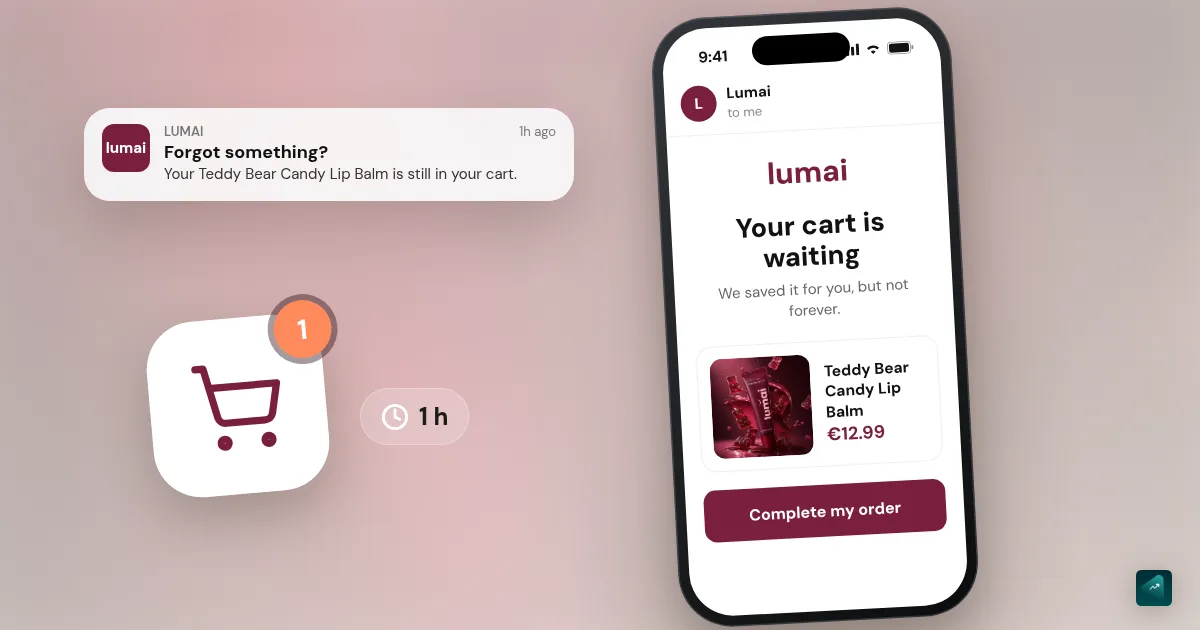
The reminder. Keep it short, with no pressure. Show the product image and its name, with the main benefit in one sentence. Add a button that goes straight back to the cart.
Subject: Your cart is waiting
You were this close to treating yourself. Your laptop stand is still here, ready to ship. No more stiff neck at the end of the day.
[Complete my order]
The objection. Answer the question your customer is asking without writing it. You already know it, since it's the one that keeps coming up in your messages and in competitors' reviews. It might be delivery time, returns, sizing or quality. Remind them what your product changes for them, with the same promise as your product page. That's the method in sell the problem, not the product.
Subject: A question before you order?
Delivery in 5 to 8 business days, returns accepted for 30 days. If it's not right for you, you get your money back.
The nudge. If you make an offer, keep it consistent with your store. A gift or free shipping often costs less than a discount, for the same feeling of a good deal. Build an offer that converts compares what each option costs your margin. Give a time limit too, as long as it's real. To create the code for that last email, follow how to create a discount code on Shopify.
The rules to follow
- A clear subject line, no fake urgency.
- One button, back to the already-filled cart.
- Mobile first, since most of your customers will read on their phone.
- No more than three emails, or you go from helpful reminder to harassment.
- An unsubscribe link in every email, like any commercial email.
Measure what it brings in
In Shopify, recovered orders show up in your reports and in the automation's details. Look at two numbers. The first is how many abandoned checkouts came back. The second is how many of those orders used the third email's discount. If almost everyone comes back on the third email with the discount, your recovery is training customers to wait. Try a gift or free shipping instead.
Checkout recovery is only one of the tasks Shopify can run on its own. The rest is in what you can really automate in an online store.
If your store was generated with Scale Ova, your theme takes care of the storefront. Recovery is set up in Shopify Messaging, in ten minutes.
No store yet? You can generate it with Scale Ova from your product. You look at it and change it for free, and you only pay when you publish it on Shopify.
FAQ
How do I recover an abandoned cart on Shopify?
When should I send the recovery email?
Should I offer a discount in the recovery email?
Do Shopify recovery emails cost anything?
Sources
- Cart abandonment rate statistics, Baymard Institute, accessed September 18, 2026
- Recovering abandoned checkouts, Shopify Help Center (legacy version), accessed October 29, 2026
- Opt in to the new abandoned checkout automation, Shopify Help Center, accessed October 29, 2026
- Shopify Messaging email pricing, Shopify Help Center, accessed September 18, 2026