To hide sold-out products from a Shopify collection, enable inventory tracking and add an inventory-greater-than-zero condition, requiring all conditions to match. Products return when restocked. This rule does not unpublish their product pages from the store. Shopify’s method.
Remove sold-out items from collections
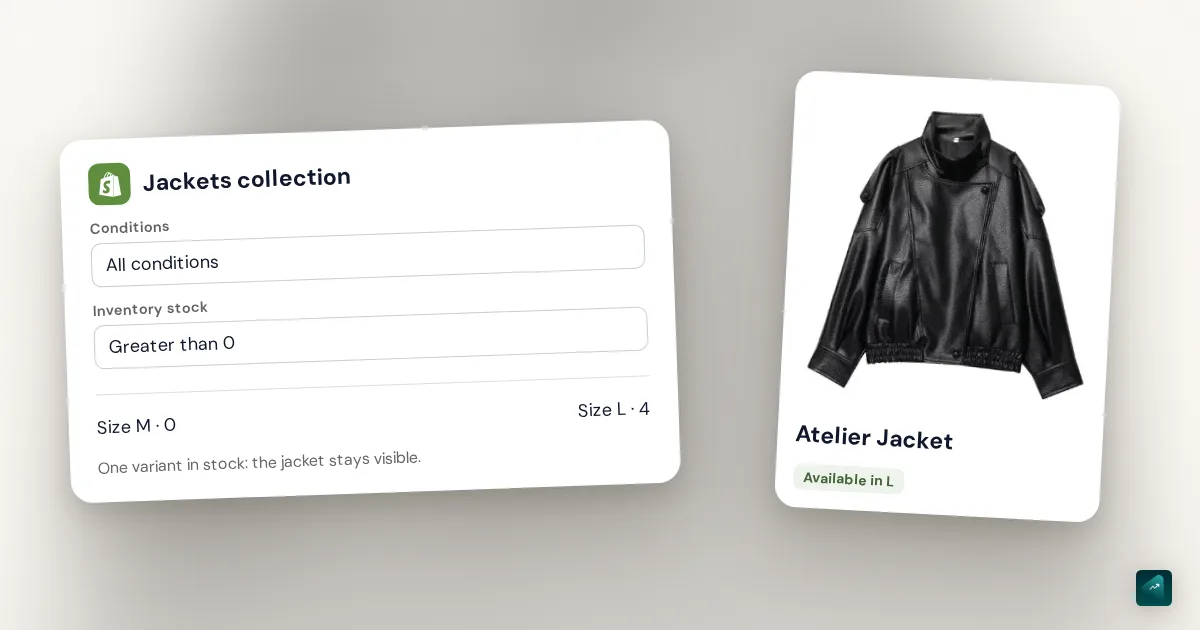
Open Products > Collections, then the collection to filter. In its automatic selection conditions, keep the existing criteria, add inventory greater than zero and require all conditions to match.
In this fictional example, a “Jackets” collection selects products tagged jacket. Its two criteria become: the tag is present and inventory exceeds zero. With “any condition,” the tag alone lets a sold-out jacket stay in the collection.
Conditions do not remove products added manually. Check how your collection gets its items. The Shopify collection guide explains product organization; Shopify’s collection conditions documentation describes their scope.
One sold-out size should not hide the entire jacket
For product selection, the inventory condition is satisfied when at least one variant matches. A jacket with no size M left but size L available can remain in the collection. This filter does not individually hide sizes in the product page’s selector.
Check a product with several variants, not only an item without options. A sold-out color should not remove the other colors you can still sell.
If you also want the product page removed
In Shopify Flow, find the Publish and unpublish products based on inventory level template. It unpublishes sold-out products and republishes them when a variant has inventory again. The unpublish action affects the selected sales channels. Its scope differs from a collection filter. Unpublish action and templates.
For a temporary shortage, keeping the page accessible can help: a customer who already has its link can still find the item and read the expected restock date. Decide whether you want a shorter collection or an unavailable product page before enabling Flow. Do not delete a product just because it sells out.
What to check
On a test product, check one available variant, then all variants sold out, then a restock. Look at the collection, the product page opened directly and other places where the product appears.
If your menu leads to the general catalog at /collections/all, check that page too. Shopify lets you replace it with a collection whose conditions you control; filtering “Jackets” alone does not change the entire catalog.
Configuration documented by Shopify, checked on November 12, 2026.