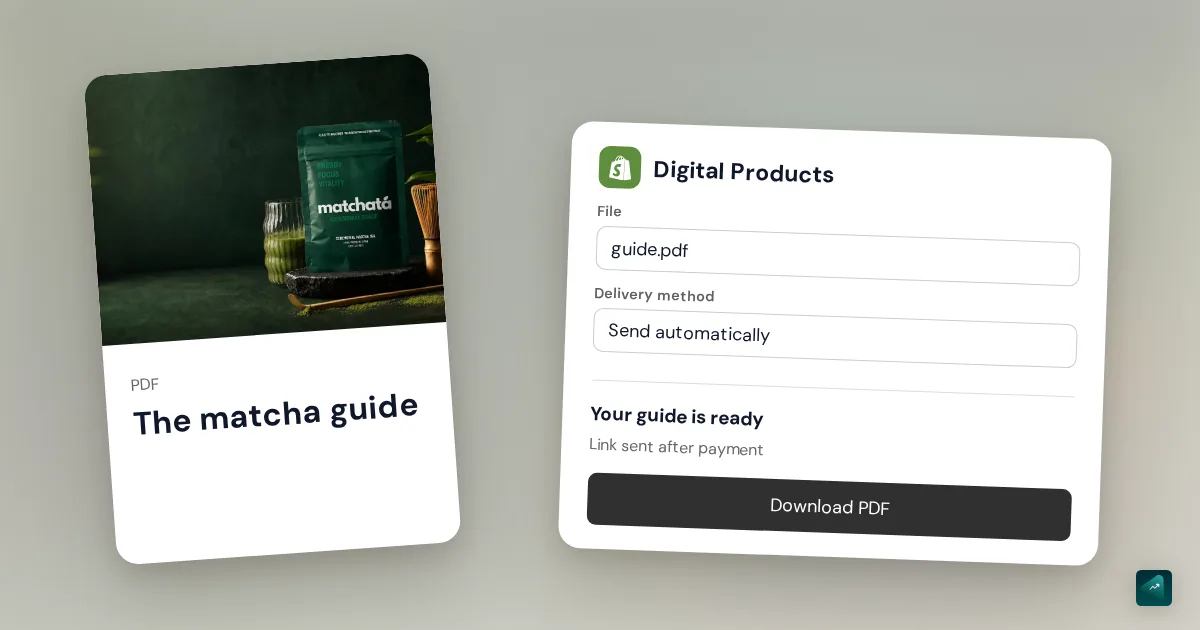
To sell a PDF on Shopify with automatic delivery, create a product that does not require shipping, attach the file in Shopify Digital Products and enable automatic sending. After successful payment, the customer receives an email with a download link.
The official app is free. If you know it as Digital Downloads, its Shopify App Store listing is now named Shopify Digital Products. Your store subscription is separate.
Attach the PDF to the product being sold
- Install the official app developed by Shopify.
- Under Products, create your listing with a title, price and description of what the buyer will receive. In the shipping section, turn off the physical product setting, then save. Shopify documents this digital product setting.
- Open Apps > Digital Products, select the product and add the PDF as a file resource.
- Set its delivery method to Send automatically, then save. For products with variants, check the file and delivery method for each variant. App instructions.
If you do not have a listing yet, the guide to adding a product on Shopify covers the shared product settings.
Example: a PDF guide and a version with exercises
In this fictional example, you sell a guide for €12 and a version with a workbook for €18. These are two variants. The first should deliver the guide; the second should deliver the guide and the workbook.
Name the files before uploading: guide.pdf and exercises.pdf tell buyers more than export-final-v7.pdf. State the format, language and contents of each version on the product page. A cover image presents the guide; it does not replace the downloadable PDF.
Check delivery before selling
Place a test order using an email address you can access. Follow the entire purchase:
- A cart containing only the PDF has no shipping charge.
- The purchased variant delivers the correct files.
- Payment succeeds, then the download email arrives.
- The link opens the complete document, readable on a phone too.
If the email is missing, first check the payment status, the file attached to the purchased variant and its delivery method. Manual sending requires action on the order; it is not the setting you want for a standalone PDF delivered automatically.
Configuration documented by Shopify, checked on November 12, 2026.