You're starting out and you saw BuildYourStore in a video. Before you commit, you want to know what you actually get. So we created a fresh account and followed the flow up to the point where it asks you to pay. Then we went to look at stores the tool delivered to other people. It's all here in the order of the flow, from the first click to the price.
How BuildYourStore works, step by step
The flow is in English and takes three clicks. You never type anything. No step asks about your project. You're not asked for your brand, your audience or your language either.
- Signup. The home page has a "Build my FREE store" button with the line "No credit card. Yours forever."
- The call. A screen titled "Answer the call" plays a video. The button to continue stays locked until the video has played. The screen says "Get the full course on the call". We did get a phone call during signup.
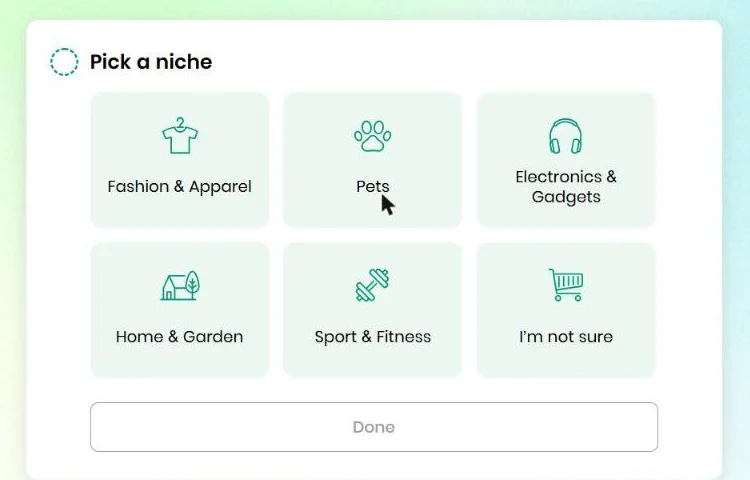
- The niche. You get six boxes: Fashion & Apparel, Pets, Electronics & Gadgets, Home & Garden, Sport & Fitness, and "I'm not sure". We picked Home & Garden.
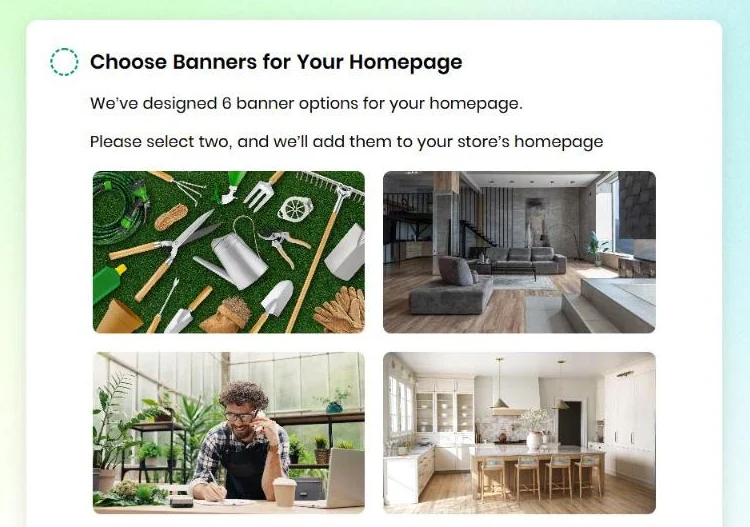
- The banners. You see six photos and pick two for the home page.
- "Your store is ready." The screen shows up about 5 seconds after you pick the banners.
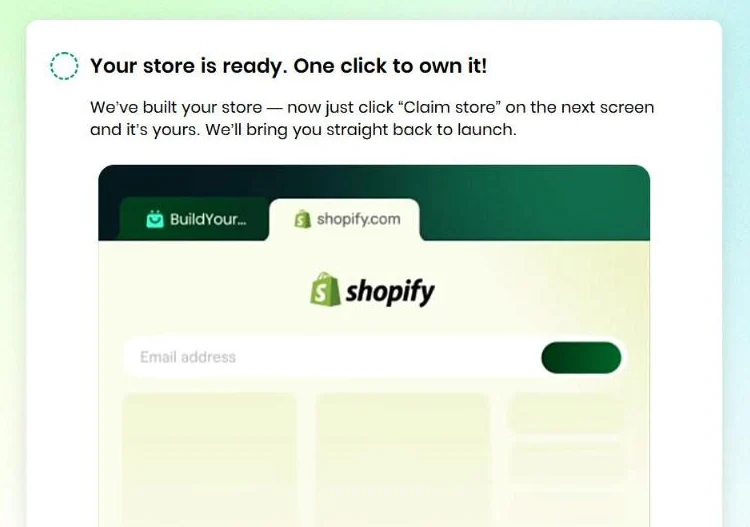
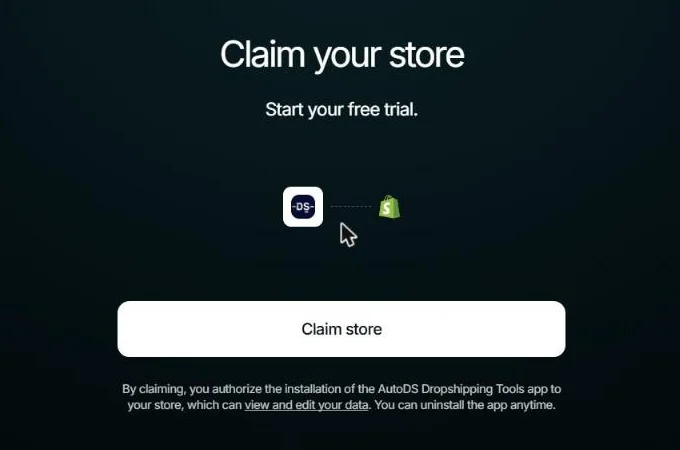
- The handoff to Shopify. A "Claim my Store" button opens a Shopify page. That page transfers a store to you and installs the AutoDS app.
- The Shopify plan. Back on BuildYourStore, the screen asks you to activate a Shopify plan. The next step is called "Pick Your Store Type". It stays locked until you do.
- The final store. Once the plan is active, the store gets the BuildYourStore theme with the banners and the niche's products. You can see that on the delivered stores, further down.
- The Pro offer. Reviews describe a Pro offer at $97. It promises a free domain and free ads.
For the rest, we relied on the stores the tool has already delivered and on reviews from people who paid. We went through them one by one, further down.
"Your store is ready": what we had at that point
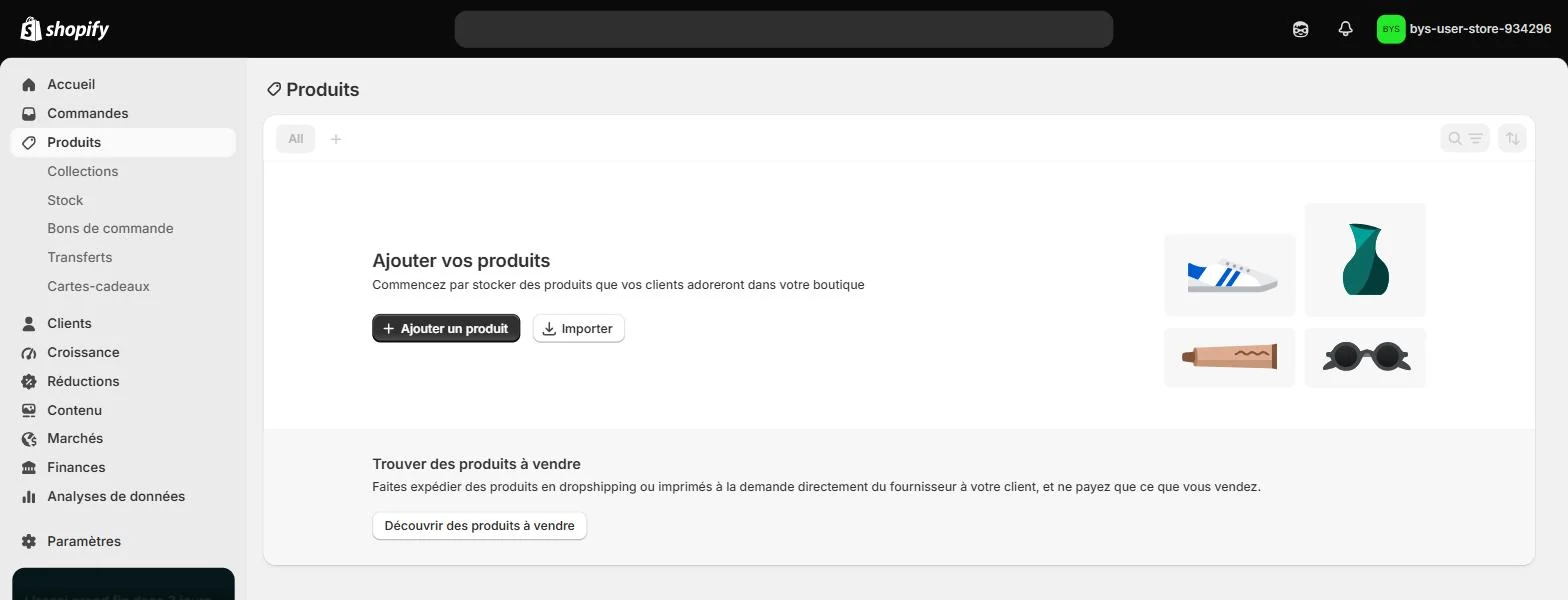
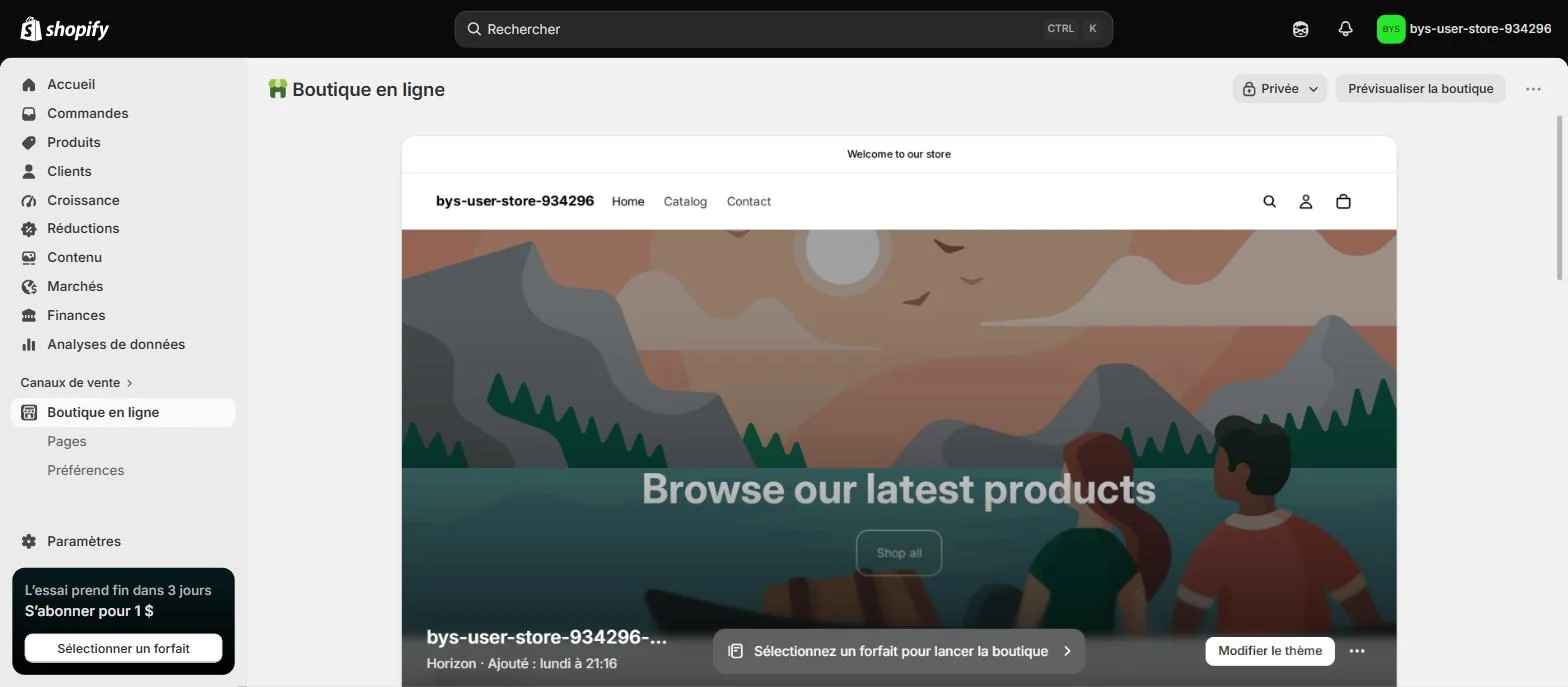
BuildYourStore says "We've built your store". We opened the store in the Shopify admin right after, and it was empty.
- 0 products. Shopify's Products page shows its empty state.
- Shopify's default theme. It's Horizon, with its stock home page that says "Welcome to our store" and "Browse our latest products".
- No niche, no banners. Home & Garden and the two photos we picked appear nowhere.
- A theme dated four days earlier. Shopify says the theme was added on Monday at 9:16 pm. Our account was created on Friday. So the store existed before we signed up.
The price: free until the Shopify plan screen
It's true that BuildYourStore hasn't charged you anything at this stage. But the flow is blocked until you pick a Shopify plan with a card.

- The Shopify offer. You pay $1 a month for 3 months, then the regular plan price. Basic is shown crossed out at $39 a month.
- The trial. The transferred store says the trial ends in 3 days.
- AutoDS. By claiming the store, you authorize the installation of the AutoDS app. The app "can view and edit your data". AutoDS also has its own subscription.
- The affiliate link. The Shopify page opens through a link tagged "affiliates". That's what explains the free part. The store is given away because it brings customers to Shopify and AutoDS.
- No refunds. BuildYourStore's terms say "No refunds will be issued under any circumstances".
Trustpilot reviews also mention a "Pro" offer at $97 with a free domain and free ads. Several people say they never got them. We quote them below.
What BuildYourStore actually delivers: 8 live stores
Every delivered store is named "bys-user-store" followed by a number. We opened 11 of them on October 2, 2026, like any visitor would. Of those, 8 were live.
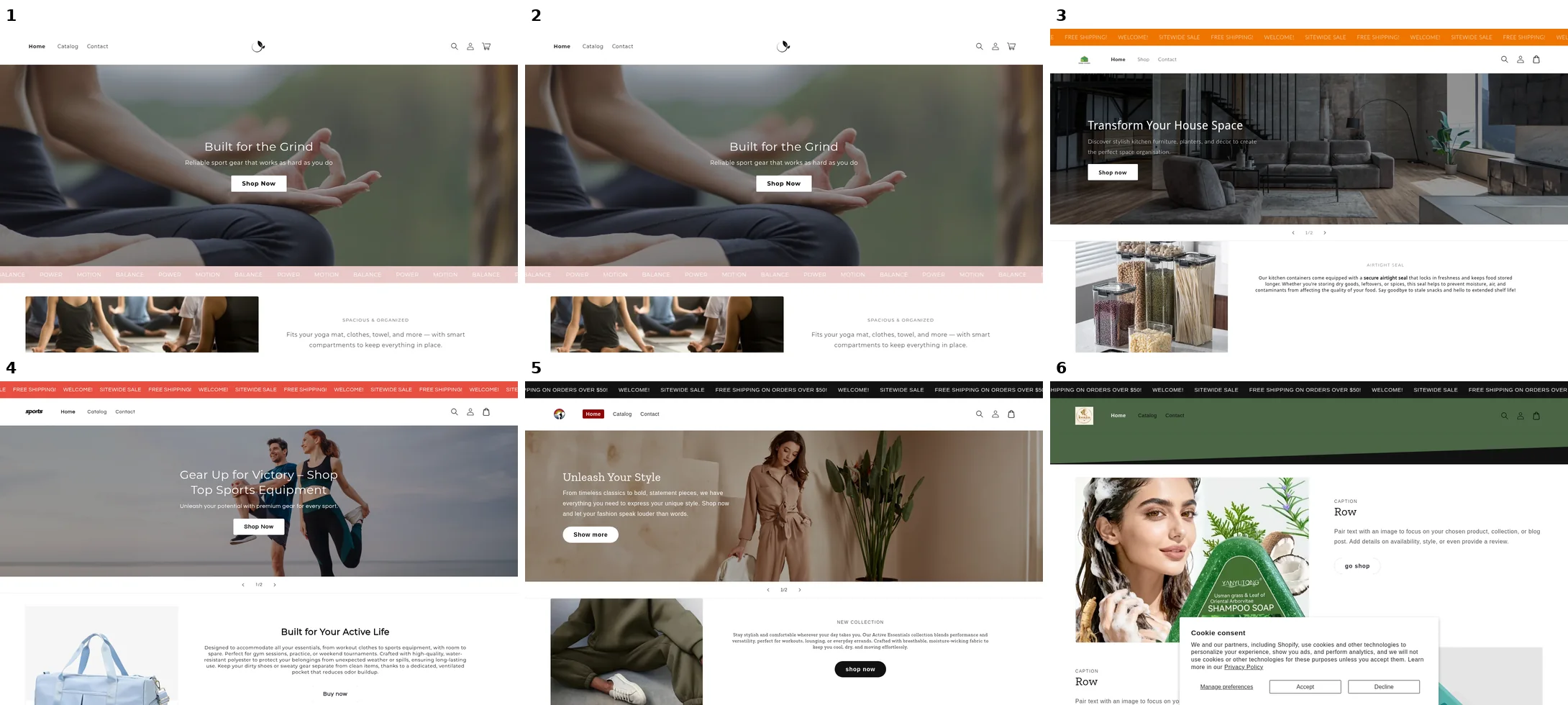
- One theme. 6 stores out of 8 use the same one, named "Build Your Store Theme". It's Dawn version 15.2.0, Shopify's free theme.
- Two stores identical down to the pixel. Stores 1 and 2 have the same "Built for the Grind" title and the same yoga photo. They also share the same sections and the same 2 products.
- The same blocks in the same order. Every store opens with a slideshow, then a scrolling bar that reads "FREE SHIPPING! WELCOME! SITEWIDE SALE". Next come an image with text, the "What Our Customers Are Saying" block and a promo popup.
- The banner we were offered is already live elsewhere. Our banner screen showed a gray living room photo. It's already the banner of store 3, under the title "Transform Your House Space".
- 1 or 2 products on the home page. You'll see a gym bag, a tracksuit or kitchen containers, for example.
- The store name is still the delivery name. 6 stores out of 8 are still called "bys-user-store" followed by their number. One of them even has its own domain name.
- Placeholder text left live. Store 6 shows "Row. Pair text with an image to focus on your chosen product". That's the theme's filler sentence.
Eight stores is a small sample. It's still enough to see a template filled per niche, not a store designed for a project.
Where is the AI? In what we saw, nowhere. The flow never asks you for a word of text. The store is announced ready in 5 seconds, yet it existed four days before we signed up. And two delivered stores are identical. A Trustpilot review from October 29, 2025 puts it its own way: "if this is really AI, it's worth a big laugh".
The quality of delivered stores: basic, and not built to sell
We opened the home page and a product page on four of these stores. The template lays down sales blocks, but fills them with placeholder content.
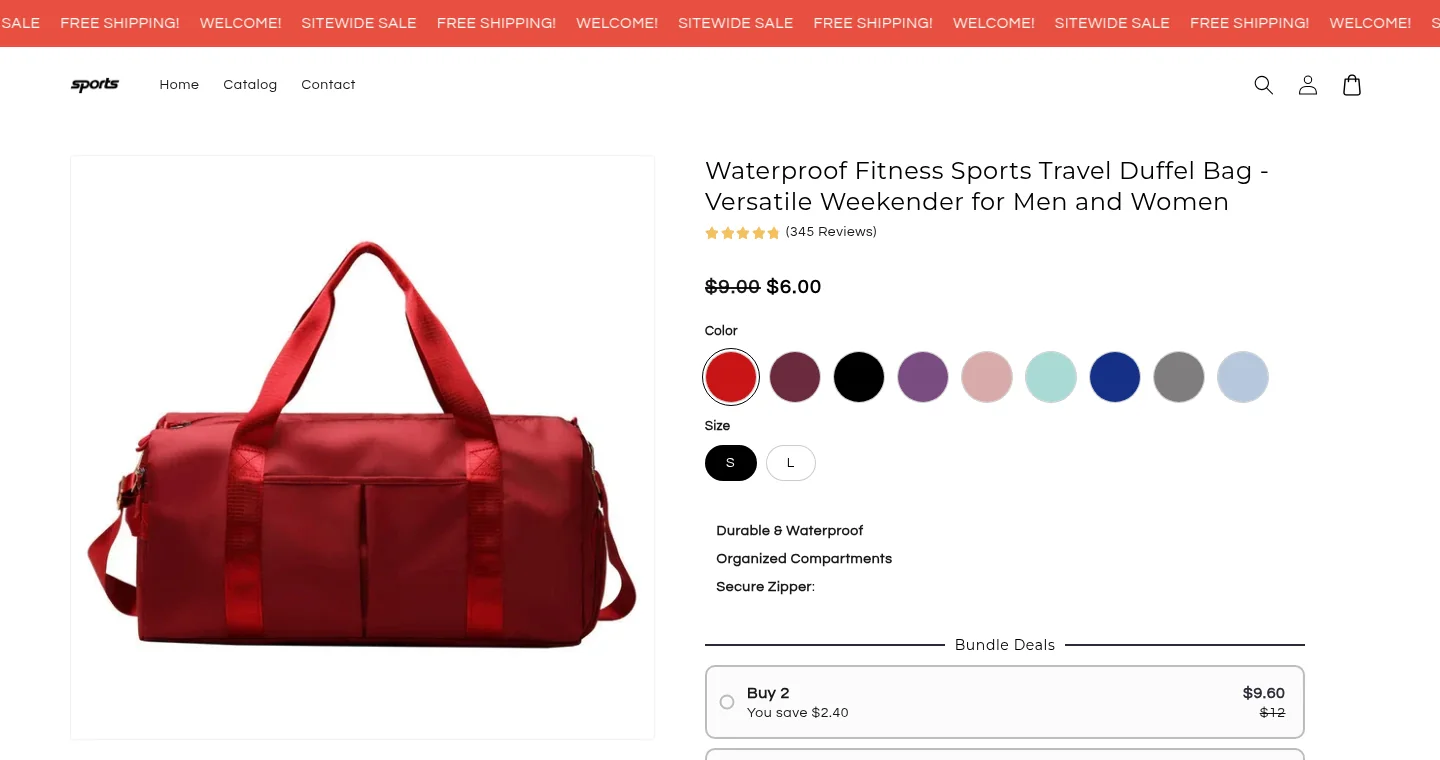
- "(345 Reviews)" on three different products. We saw it in three stores, on a set of kitchen containers, a gym bag and a tracksuit. All three show five stars and "345 Reviews". The number comes from the template, not from customers.
- Placeholder testimonials. One store shows "Game-Changer for Kitchen!" and another shows "Game-Changer for My Training". Both sit under the title "What Our Customers Are Saying", on stores that were just delivered.
- Prices nobody set. The travel bag is listed at $6, crossed out from $9. On another store, the container set is priced in Ghana's currency. No one has set a selling price.
- A short home page. The home page runs 300 to 500 words and features a single product. A contact form closes the page. On one store, the footer lines up nine social network icons.
- A broken link. On store 2, the product featured on the home page leads to a "404 Page not found" page.
- What is there. The theme puts bundle offers ("Buy 2", "Buy 3") and a comparison table on the product page.
To sell, a store needs real reviews and prices that leave a margin. It also needs a page that speaks to someone. Here, all three are still to do.
Editing the store afterwards: by hand
The store is a filled template on a regular Shopify theme. You edit it by hand in Shopify's theme editor, section by section. BuildYourStore has no editor of its own. No AI reworks the store once it's delivered.
- The name, logo, copy and photos. You have to change them yourself. The stores still named "bys-user-store" show that many people never do.
- The products. You have to find and import them, through AutoDS if you take its subscription.
- The store settings. Shipping, payments, policies and languages are all set in the Shopify admin.
- What someone who tried says. A 2-star Trustpilot review describes a store that "wasn't compatible with many basic Apps". The author deleted it after several weeks of work.
If you've never opened Shopify, you end up with a theme to finish and an admin to learn. That's the real work, and the tool doesn't do it.
What the reviews say
Trustpilot shows 182 reviews and a 4.5 out of 5 rating on October 2, 2026. We read the 20 reviews rated 3 stars or less.
- A "Pro" at $97, ads and a domain that never came. Five reviews posted from December 2025 to July 2026 say they paid for it and didn't get what was advertised. On February 24, 2026, one customer wrote "did not get the free ads as stated nor the free domain".
- Free, then paid. Someone wrote "It needs money at start" on September 2, 2026. That's the Shopify plan screen we saw in our test.
- What is in the store. On October 29, 2025, a customer wrote "Could not even choose the niche I wanted".
- Support. A July 30, 2026 review describes a site that went down after a year with no answer.
Positive reviews exist too, and they're the majority. They mention a quick setup, and several people praise the support team.
What BuildYourStore does well
- No friction at the start. Three clicks are enough, with no card and no brief.
- A way into Shopify. If you've never seen the admin, the store arrives already created.
- The $1 Shopify offer. You get three months at $1 to try it.
BuildYourStore or Scale Ova, situation by situation
Here is what each tool does for you depending on your situation, as of October 2, 2026.
| Your situation | With BuildYourStore | With Scale Ova |
|---|---|---|
| You have an idea or a specific product | You take the closest niche out of five | You describe your project, or paste your product link |
| You want a store that looks like you | A theme shared by 6 stores out of 8, shared banners | The theme, pages and copy are generated for your project |
| You are new to Shopify | You finish the store and set up the admin yourself | You ask the AI: products, menus, shipping, markets, languages, policies |
| Your store is not in English | An English flow that never asks for the language | The store is generated in the language of your market |
| You want to change something later | Shopify's theme editor, by hand | You ask in conversation, or click the element to change |
| You want to see before you pay | An empty store until the Shopify plan is active | You generate, browse and edit the store without paying |
| You want to go fast | Three clicks | A few minutes, after a conversation about your brand and audience |
BuildYourStore is faster by a few minutes. It's the only row where it comes out ahead.
Scale Ova starts with your project, meaning your market, your promise and your offers. It then generates the whole Shopify store from that. You get the theme and pages, plus product pages and collections with their copy and images. The AI stays connected to the store after delivery. You can hand it products, collections, menus and discounts. It also handles shipping, markets and languages. Generating and editing are free. Only publishing to Shopify requires a subscription. See generated stores, no signup.
Other BuildYourStore alternatives
- Storebuild.ai works on the same principle. You pick a niche, and the tool provides the theme and the products. Our Storebuild.ai review.
- DropMagic starts from a product link and delivers a product page and a home page. Publishing requires Pro at $79 a month. Our DropMagic review.
- Atlas AI also starts from a product link and fills one template out of 13. Edits are then done by hand, with no AI. Our Atlas AI review.
- Shopify AI Store Builder generates store designs for free from a few words. You get designs, not a store with its products, copy and strategy.
Going further
Want to see your store rather than the niche's? Describe your project to Scale Ova and look at the result. The AI store builder overview compares tools of the same kind. If you're after a store delivered ready to sell, read the turnkey dropshipping website guide.
FAQ
How does BuildYourStore.ai work?
Is BuildYourStore really free?
Is BuildYourStore legit?
Does BuildYourStore use templates?
Will my BuildYourStore store look like the others?
Can you edit the store with AI after delivery?
Is BuildYourStore enough to get started?
BuildYourStore or DropMagic?
Can you move from BuildYourStore to Scale Ova?
Sources
- Real test on October 2, 2026: fresh free account on buildyourstore.ai, Home & Garden niche, dated captures
- Survey on October 2, 2026: 11 stores delivered by BuildYourStore opened without an account, 8 live, dated captures
- BuildYourStore on Trustpilot, rating and quoted reviews, checked on October 2, 2026
- BuildYourStore terms, no-refund policy