Your products are live and you're missing the page every store has. Creating it takes two minutes in the admin. The hard part is the blank text box. This guide covers both. First the steps, which work for any page on your store. Then what actually goes on a small store's About Us page, with a sample text.
Add a page on Shopify, step by step
These steps work for any content page, from your About Us page to a size guide.
- In your Shopify admin, go to Online Store > Pages.
- Click Add page.
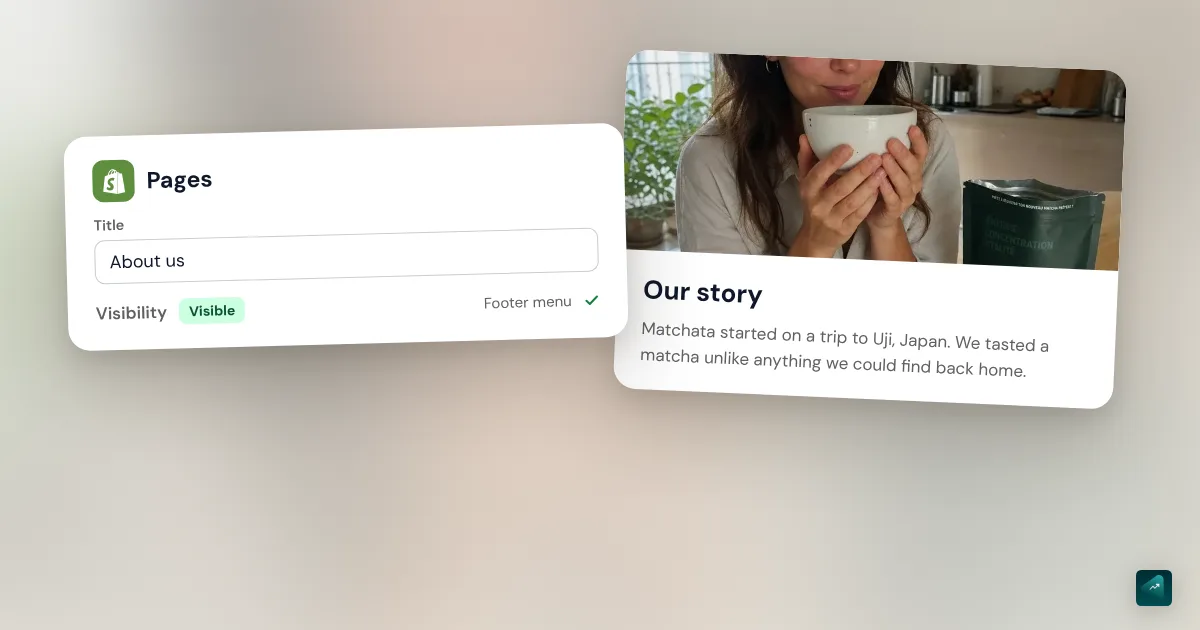
- In the Title field, type the page name, for example "About us."
- In the Content section, write your text. You can insert images and videos there.
- In the Visibility section, keep Visible selected to publish the page.
- Click Save.
Pick the title with care. Shopify shows it in the browser tab and in Google results. "About us" is the clearest for customers. "Our story" works too.
Want to prepare the page without showing it yet? Select Hidden in the Visibility section. The calendar icon then lets you set a publish date. The Shopify app on your phone does the same thing. Tap Online Store in the Sales channels section, then Pages.
Shopify can also write a first draft with Sidekick. In the Content section's text editor, click the generate icon and describe the page you want. Treat that text as a draft. The tool doesn't know your story, so it writes sentences that would fit any store.
A contact page follows the same steps, with one extra template setting. It has its own guide: how to create a Shopify contact page.
Put the page in your menu or footer
A saved page doesn't show anywhere until a menu links to it. The Help Center repeats this on every related article.
- Go to Content > Menus.
- Click the title of the menu you want to edit, for example your footer menu.
- Click Add menu item.
- Click the Search or paste a link field, pick Pages, then your About Us page.
- The Name field fills in with the page title. Change it if you want a shorter label.
- Click Add, then Save menu.
The footer is the usual spot, next to your contact page and policies. If your brand is built on your story, a link in the main menu makes sense too. You can group About, Contact, and FAQ under one tab. The guide to the Shopify dropdown menu shows how to build that submenu. For the FAQ itself, the guide to the Shopify FAQ page shows how to turn your questions into an accordion.
Keep one thing in mind if you ever delete the page. Shopify also deletes the menu item that pointed to it.
Give it a real layout with a page template
With the default page template, your page shows its title and then your text. For an About Us page, that's often enough if you drop a photo or two into the text. Want a photo next to a paragraph or a large image at the top? Then you need your own page template, which you create in the theme editor.
- Go to Online Store and click Edit theme next to your theme.
- At the top of the editor, click the Home page drop-down menu and pick the pages template type.
- Click Create template.
- In the Name field, type something like "about." In the Based on drop-down menu, keep your existing page template.
- Click Create template, then add your sections with Add section.
- Click Save.
- Go back to Online Store > Pages and open your About Us page. In the Online store section, pick your new template from the Theme template drop-down menu, then click Save.
In Dawn, Shopify's free theme, two sections fit this page well. Image with text puts a photo next to a paragraph. Image banner opens the page with a large photo. Keep the Page section too, since it shows the text you wrote in the admin.
Before you fill in those sections, know where their text goes. It's saved in the template, and the template is a file in your theme. If you switch themes one day, you'll have to rebuild those sections. The text in the Content box stays with the page and follows you from one theme to the next. So put your story in the Content box and keep the sections for photos.
What to put on an About Us page
The Shopify Help Center suggests five starting questions, from what you sell to what makes you stand out. For a small store, four things do most of the work.
Where do you start?
Open with the reason you started the store. Skip "our mission is to bring you the very best." Tell the moment you looked for this product and couldn't find it. The Help Center gives the same advice in other words. It suggests telling how your own experience helped you discover a need.
If writing feels stuck, it also suggests recording yourself talking. You then type it up and you have a first draft. It often sounds more natural than what you'd write in front of a screen.
What proof should you give?
"Quality products, chosen with passion" says nothing, because every store writes it. Replace each adjective with a fact your customer can check. Say where the product is made and by whom. Explain how you choose your materials or your suppliers. One true and precise fact beats a superlative, even if it's modest.
Which photos should you use?
The Help Center recommends team photos to break up the text. If you run the store alone, a photo of you at work is enough. A real photo taken on your phone builds more trust than a stock image. You insert it in the Content box or in an Image with text section.
Do you have a physical store? You can embed a Google map in the page's HTML code. The Help Center actually uses the About Us page as its example for that.
How do you end the page?
A reader who gets to the bottom of the page is interested in you. Don't leave them with nowhere to go. The Help Center calls this a call to action, like a newsletter sign-up. The simplest one is a link to your main collection. Add a line that says how to reach you, with a link to your contact page.
What tone should you use?
Write the way you'd talk to a customer standing in front of you. If you're casual with your followers on Instagram, be casual here too. A corporate "we" sounds off when you're the only person behind the store. Say "I," because it reads better and it's true.
A sample About Us page for a small store
Here's a short structure, in the order your customer reads it.
- An opening line that says who you are and what you make.
- The why in one paragraph, with the moment that made you start the store.
- How you work, with two or three facts people can check.
- A photo of you, your workshop, or your products in real life.
- What's next, with a link to your products and another to your contact page.
And here's a sample text for a made-up store, Atelier Bruine, which sells stoneware mugs.
I'm Camille, and I make stoneware mugs in my workshop in Rennes, France.
It all started with a broken mug. It was my grandmother's, and I never found another one that felt as good in the hand. I took a pottery wheel class to try to make a new one. Two years later, my wheel sits in an old garage.
I throw, glaze, and fire every mug right here. I fire the kiln twice a week, so some colors sell out fast. No two mugs are quite the same, because the glaze runs a little differently in each firing.
You can see the mugs available right now in the shop. For a custom order, write to me from the contact page.
Look at what this text leaves out. There's no "passion" and no "exceptional quality." Every sentence adds a fact about Camille or her mugs. Your story will be different, but you can keep the shape.
If you sell through dropshipping
You don't have a workshop, and that's fine. Just don't invent one. In France, the DGCCRF consumer protection agency says an origin claim has to be backed up. It also must not mislead the customer. A page that tells a French-made story for an imported product falls into that case.
Tell what you actually do instead. Maybe you tested the product at home before selling it. You probably answer customer messages yourself. Also say where parcels ship from and the delivery time you've seen. A customer who finds out the delivery time after ordering will be angrier than one who read it first.
Common mistakes
- Text that would fit any store. If you could paste your text onto a competitor's store, it says nothing about you. Rewrite it with your own facts.
- Text that's too long. Your customer wants to know who's behind the store. They aren't looking for your full biography. Cut anything that doesn't help them trust you.
- No way to reach you. A good About Us page makes people want to write to you. Put a link to your contact page at the bottom.
- The page isn't in any menu. It exists, but nobody lands on it. Add it in Content > Menus.
- The page is still hidden. It's in the menu but doesn't show up? Open it again and check that Visible is selected.
- Legal details mixed into the story. The required information about your business belongs in your legal notice. The guide to Shopify legal pages covers what French law requires.
Do it in one sentence with Ova
If your store is built with Scale Ova, you can ask Ova for the page instead of creating it by hand. For example: "Write an About Us page that tells why I started the brand, then add it to the footer." Ova creates the page in your Shopify admin and writes the text. It also adds the link to the menu. Give it your real story and your real facts in the message, because it can't guess them. Then reread the page and add your photo in the Content box. For the rest of your store, the complete guide to building a Shopify store walks through every setting in order.
FAQ
How do I add a page on Shopify?
How do I create an About Us page on Shopify?
What should I put on an About Us page?
How long should an About Us page be?
What should I call my About Us page?
Do I need an app to create an About Us page on Shopify?
Why doesn't my About Us page show on my store?
Sources
- Shopify Help Center, About Us page: steps, goals and information to include, recording yourself, call to action, accessed October 29, 2026
- Shopify Help Center, Creating and editing pages: title shown in browsers and search engines, visibility, Sidekick, Google map, deleting a page and its menu item, accessed October 29, 2026
- Shopify Help Center, Adding, removing, or editing menu items: menu editor labels, accessed October 29, 2026
- Shopify Help Center, Templates: creating a template in the theme editor and assigning it to a page, accessed October 29, 2026
- Shopify.dev, JSON templates: a template is a theme file that stores its sections and their settings, accessed October 29, 2026
- Dawn, English section names: Image with text, Image banner, and Page sections, accessed October 29, 2026
- DGCCRF, Made in France claims: an origin claim must be backed up and must not mislead consumers (in French), accessed October 29, 2026