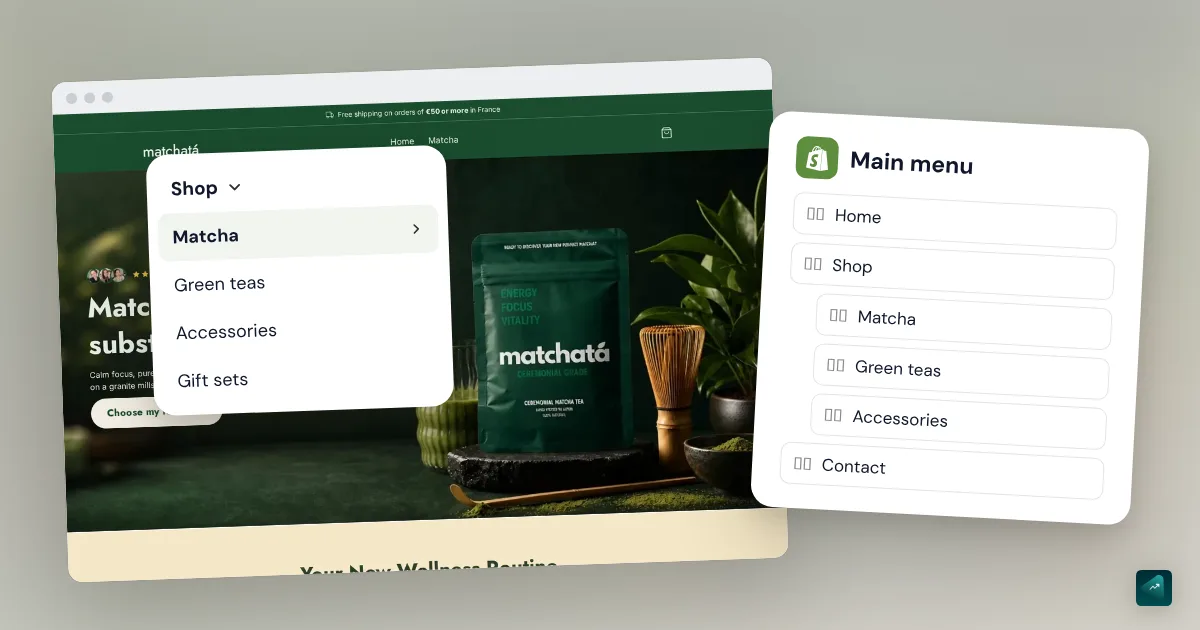
Your store is growing and your menu no longer fits on one line. You want a "Shop" tab that drops down your categories when someone hovers over it. On Shopify, there's nothing to install for that. A dropdown menu is just a menu item dragged under another one. The longest part is preparing what the menu will show.
How a dropdown menu works on Shopify
Your store has two default menus. The main menu shows at the top of every page, with two items to start with, Home and Catalog. The footer menu shows at the bottom. Dropdown menus live in the main menu.
The idea is simple. A top-level item shows in the menu bar. The items dragged under it show in the list that drops down. Shopify allows two levels under each top-level item. So you can go Shop, then Women, then Dresses.
Before you touch the menu, create what it points to. A menu item links to a collection, a product, a page, or a blog post. Shopify needs that resource to exist first. If you want a submenu per category, create one collection per category first. The step-by-step is in Shopify collections. And if your store has no products yet, how to add a product on Shopify also shows how to put them in a collection.
How to create a dropdown menu, step by step
- In your Shopify admin, go to Content > Menus.
- Click the name of your main menu.
- Pick the item that will be the dropdown's header, or create it with Add menu item. If that header shouldn't link anywhere, type # in the Search or paste a link field.
- Click Add menu item to create the first item of the submenu.
- In the Name field, type the text people will see, for example "Candles."
- In the Search or paste a link field, choose the destination, like the Candles collection.
- Click Add.
- Grab the item by its handle and drag it under the header, shifting it to the right. It's nested when it shows indented under the header.
- Repeat for each item in the submenu.
- Click Save menu.
Then open your store on a computer and on a phone. On a computer, the submenu opens on hover or on click depending on the theme. On a phone, it usually unfolds in a side menu.
Adding a third level
For a submenu inside the submenu, do the same thing one step further. Drag an item under an item that's already nested. That gives you three levels, Shopify's maximum.
Your theme has to be able to show it. The Help Center says every Online Store 2.0 theme supports multiple levels. Older sectioned themes may need an update. If your third level doesn't show, check your theme version first.
Three levels is often too much for a beginner. A customer on a phone then has to open three lists before seeing a product. With a small catalog, two levels are almost always enough.
Your menu doesn't show on the store
You edit a menu, you save, and nothing changes on the live store. The Help Center lists a simple cause first. Your theme shows a different menu from the one you're editing.
To check, go to Online Store and click Edit theme next to your theme. Open the Header section. Its Menu setting tells you which menu the theme shows. Pick the right one, then save.
A mega menu app can also be the cause. These apps build their own menu instead of using the one in your admin. As long as the app is active, your changes in Content > Menus won't show.
A mega menu on Shopify
A mega menu is a dropdown that opens as a large panel, often with several columns and images. Shopify doesn't create it in Content > Menus. Your theme decides how it shows the submenus.
In Dawn, a free Shopify theme, it's a single setting. Open the Header section in the theme editor. The Menu type setting offers Dropdown, Mega menu, or Drawer. Pick Mega menu, and your submenus spread across the full width of the page.
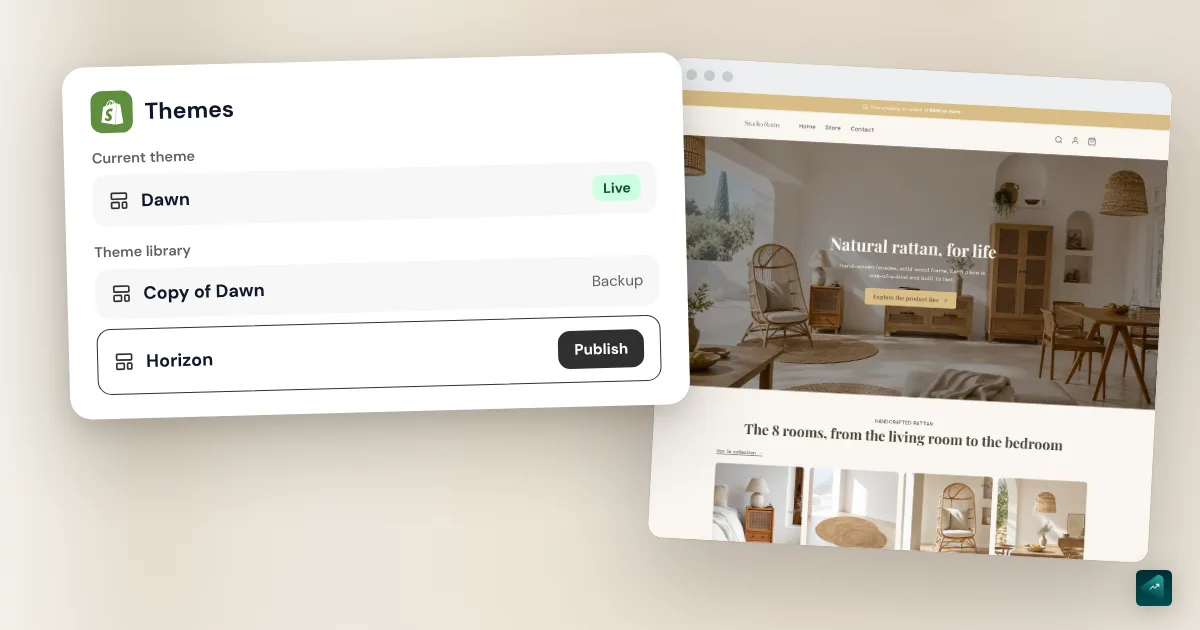
In Horizon, another Shopify theme, the menu block has a Media type setting. It adds Collection images, Featured products, or Featured collections to the submenu. Paid themes each have their own approach, often with images per column. Their documentation explains it.
If your theme offers nothing, there are apps in the Shopify App Store, such as Globo Mega Menu, Meteor Mega Menu, or Buddha Mega Menu. Remember the trap above. The app then runs its own menu, next to the one in your admin. Before installing one, check whether a free theme already does the job. The roundup of the best Shopify themes lists the ones with a built-in mega menu.
Organizing a menu by category
The Help Center gives a useful benchmark. Keep seven top-level items at most, or the bar becomes hard to read. Put your best-selling categories first and the information pages at the end. Those pages need to exist before the menu, like your About Us page or your blog.
Give headers names that say what's inside, like "Shop by category" rather than "More." In most themes, a dropdown header acts as a button that opens the list. It doesn't lead to a page. If you want a link to the whole category, add it as the first item of the submenu, with a name like "View all."
Each item should point to a different destination. If two sections of the menu point to the same page, some themes show the wrong submenu.
The traps that keep coming back
- The header opens a page on mobile instead of dropping down. Its link isn't #. Fix the header's Search or paste a link field.
- An item vanished from the menu without you deleting it. You deleted the collection, product, or page it pointed to. Shopify then removes the menu item along with the resource.
- The whole submenu vanished at once. Deleting an item that has nested items also deletes those items and the dropdown.
- Nested items don't show. They aren't indented far enough under the header in the admin, or your theme doesn't support that many levels.
- The admin blocks your edits. Shopify counts every add, edit, delete, or move. After 200 edits without saving, it limits further actions. Save often.
- The footer doesn't drop anything down. The Help Center says the footer menu usually shows top-level items only. Keep your submenus in the main menu. The footer works better for simple links, like the one to your Contact page. To build that page, see how to create a Shopify contact page.
- The message "Menu cannot contain nested menus." It mostly affects stores created before 2018. You need to contact Shopify Support to turn on nested navigation.
Looking for a dropdown on the product page?
Some searches for "Shopify dropdown menu" are really about the product page, not the navigation. Two theme settings cover that need. You'll find them in the theme editor, on the product page template.
To let the customer pick a size from a list, open the variant picker block. In Dawn, its Style setting offers Dropdown instead of buttons. To tuck shipping or care details into sections that open on click, add a Collapsible row block. Names vary by theme, so look for these two settings in yours. What belongs on a product page is covered in a Shopify product page that converts.
Doing it in one sentence with Ova
If your store is built with Scale Ova, you can ask Ova for the menu instead of dragging every item. For example: "In the main menu, add a Shop tab with three submenus, Candles, Diffusers, and Gift sets, each linking to its collection." Ova writes the menu in your Shopify admin, up to three levels deep. It can also rename, move, or remove items in an existing menu. The collections have to exist first, and Ova can create those too. For the rest of the store, the complete guide to building a Shopify store walks through every setting in order.
FAQ
How do you create a dropdown menu on Shopify?
How do you create a submenu on Shopify?
How many menu levels can you have on Shopify?
How do you make a mega menu on Shopify without an app?
Why isn't my dropdown menu showing on Shopify?
Can you put a dropdown menu in the footer?
Sources
- Shopify Help Center, Set up drop-down menus in your online store: steps, two nested levels, # headers, seven top-level items, troubleshooting, checked October 29, 2026
- Shopify Help Center, Understanding menus: default menus, menu setting in the header, mega menu apps, Online Store 2.0 themes, checked October 29, 2026
- Shopify Help Center, Add, remove, or edit menu items: labels, 200-edit limit, cascading deletion, checked October 29, 2026
- Shopify Help Center, Customizing sections in the theme editor: opening the theme editor, checked October 29, 2026
- Dawn, English settings translation file: header Menu type setting, variant picker style, Collapsible row block, checked October 29, 2026
- Horizon, header menu block: Media type setting, checked October 29, 2026