The product page is where the decision happens. The visitor is already interested, or they wouldn't be there. They're no longer asking "does this interest me?", they're asking "do I buy now, or close the tab?".
Everything below serves that decision: a real product page broken down, the structure top to bottom, the fields to fill in on Shopify, and the mistakes that cost sales.
A real product page, broken down
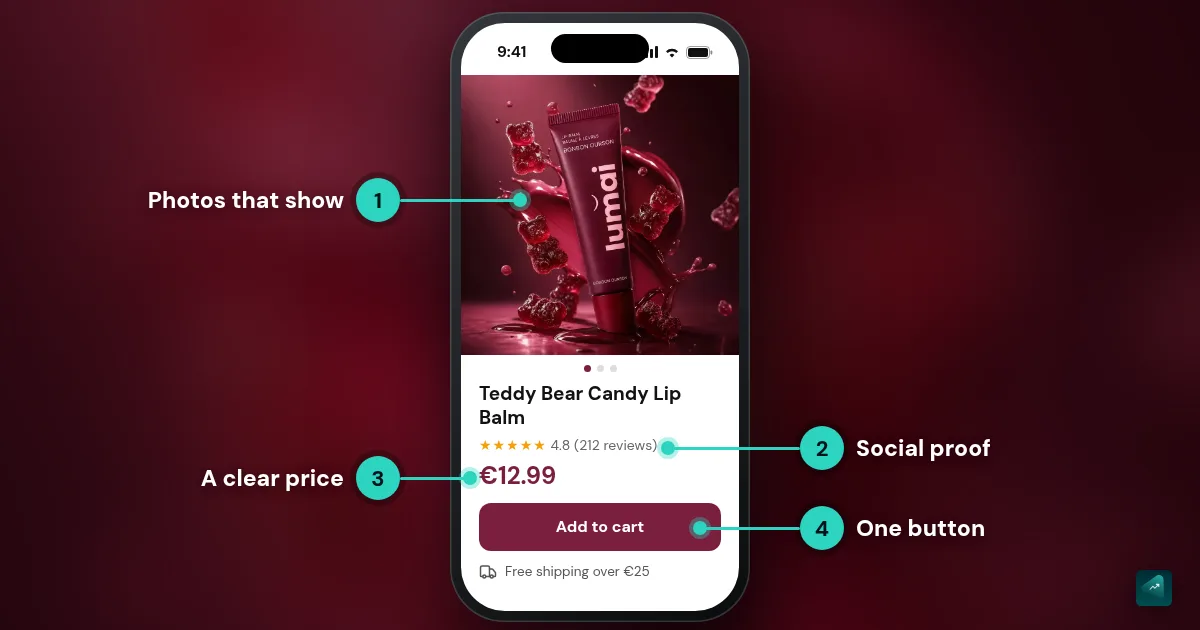
The page below comes from a demo store generated by Scale Ova: a tinted lip balm sold on its own. It shows what a good product page does on the first screen, and what it still needs before it sells.
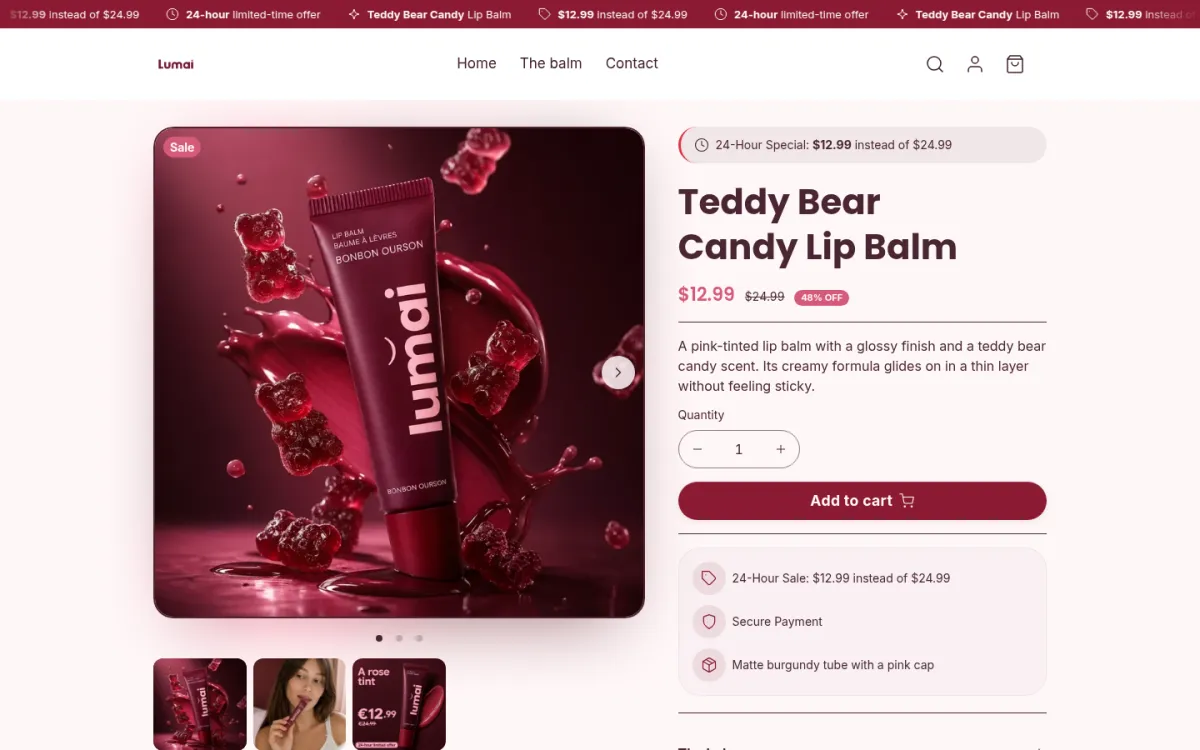
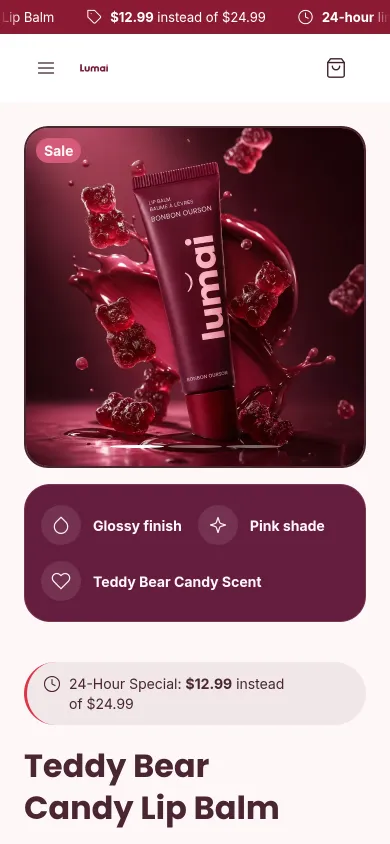
What it does well:
- Three benefits at a glance. "Glossy finish", "Pink shade", "Teddy Bear Candy Scent": three badges that say what the customer gets, readable before the title on mobile.
- A short description that answers the fears. Two lines: the shade, the finish, and "without feeling sticky", the first objection anyone has about a tinted balm.
- The button visible without scrolling on desktop, with quantity right above it.
- An FAQ written with the customer's real questions: "Does the shade stay light?", "Is it really glossy?", "Is it a lipstick or a balm?".
- Photos showing the product worn, not just the tube on a plain background.
What's left before going live:
- Shipping and returns under the button. It says "Secure Payment", but nothing about delivery time, shipping costs, or returns. Those are among the most common reasons people abandon (see below).
- Customer reviews, from the first orders.
- A compare-at price that follows the rules. The page shows $12.99 instead of $24.99 for 24 hours. That only holds if $24.99 is a price you genuinely charged before the sale, and if the sale really ends after 24 hours.
The structure, top to bottom
The order follows the visitor's decision: understand, want it, feel safe, buy. People who are already convinced buy on the first screen, the others find the rest further down.
- Photos and video. 5 photos or more: one in use, close-ups (texture, finishes), one that shows scale, and customer photos as soon as you have them. A short video if the product moves or needs showing.
- Title. The product name, said simply, with what sets it apart: material, size, shade. No superlatives, no jargon.
- Benefits at a glance. 3 to 5, short. What the customer gets, not what the product contains.
- Price and variants. A readable price, clear variants (size, color), and a unit price if you sell by weight or volume.
- Buy button, visible without scrolling on mobile, high contrast.
- Shipping, returns, payment, right under the button. One line each: "Delivered in 2 to 4 days, free over $50", "30-day returns". Not a link to your terms.
- Long description, in collapsible blocks: details, ingredients or materials, care, dimensions. It serves people who are still hesitating.
- Customer reviews, with the rating and review count, and ideally the criteria that matter (fit, look, quality).
- Product FAQ. 3 to 5 questions that clear objections: size, compatibility, care, shipping, returns.
- Related products, without a popup.
The method: every feature becomes a benefit
Take a fact about the product, then write what it changes for the customer. The fact reassures, the benefit creates desire. Together, they sell.
| Fact (catalog) | Benefit (what the customer gets) |
|---|---|
| Washed linen | Soft from day one, and softer with every wash |
| 5,000 mAh battery | A full day without hunting for an outlet |
| Creamy, non-sticky formula | A thin layer you don't feel on your lips |
| Full-grain leather | It develops a patina over time instead of cracking |
| Made in Brooklyn | You know who made it, and who to contact if something's wrong |
Do it for every feature on the page. A fact left raw leaves the customer to guess what it does for them, and often they won't.
Three writing habits:
- Talk about the customer, not the product. A sentence that starts with "Our product" gets rewritten with "you".
- A fact beats an adjective. "Made in our Brooklyn workshop" says more than "premium craftsmanship".
- Answer objections instead of dodging them. Expensive product: cost per use or lifespan. Unfamiliar product: how it's used. First purchase: returns and warranty.
What makes shoppers abandon, and what the page can do about it
The Baymard Institute puts the average cart abandonment rate at 70.22%, across 50 studies. Part of it is normal: 42% of US shoppers surveyed say they abandoned because they were just browsing. Much of the rest comes down to information the product page can give.
Among shoppers who weren't just browsing, the most cited reasons:
| Reason for abandoning (Baymard) | Share | What the product page can do |
|---|---|---|
| Extra costs too high (shipping, tax, fees) | 40% | Show shipping costs and the free-shipping threshold under the button |
| Delivery was too slow | 20% | Show the delivery time |
| Didn't trust the site with card details | 19% | Reviews, familiar payment methods, easy-to-find policies |
| Returns policy wasn't satisfactory | 13% | One clear line about returns under the button |
| Couldn't see the total cost up front | 12% | Price, fees, and threshold visible before the cart |
| Not enough payment methods | 9% | Show the methods you accept |
Half of these reasons fit in three lines under the button: shipping, delivery time, returns.
The fields to fill in on Shopify
In the admin, a product page is built under Products, field by field. Here are the ones that matter for selling and for being found.
- Title and description. Shopify's own help says it: if you resell a product, don't use the manufacturer's description, because your page needs to be unique for search engines.
- Media. Photos, videos, and 3D models. Fill in the alt text for every image: it describes the image for screen readers, Google Images, and AI assistants.
- Price and compare-at price. The compare-at price is the one shown crossed out. Only fill it in when you follow the reference price rule (see below).
- Cost per item. What the product costs you. Shopify uses it to show your margin on the page, handy for checking that a discount stays profitable.
- Unit price. For products sold by weight or volume, it shows on the product page, cart, and checkout.
- Variants. Up to 3 options (size, color, material) and 2,048 variants per product.
- Category. Picked from Shopify's standard list, it unlocks attributes suited to the product (size, color, fabric…) and makes selling on Google and Facebook easier, since they require a standard product type.
- Metafields. To add information the page doesn't have by default: a candle's burn time, a size guide, ingredients, a color chart. With a recent theme, you connect them to the page from the theme editor, no app needed.
- Search engine listing. At the bottom of the page: the title and description Google will show, and the page URL.
Compare-at prices and sales: the rule
In the EU, when you announce a price reduction, the crossed-out reference price must be the lowest price you charged in the 30 days before the reduction. In the US, the FTC's guides on deceptive pricing say a former price must be one you actually offered, in good faith, for a reasonable period.
On the Lumai page, "$12.99 instead of $24.99" only holds if the balm really sold at $24.99 before the sale. A crossed-out price shown all year round, or a countdown that resets every day, misleads the customer.
On Shopify, that means: fill in the compare-at price only during a real sale, and clear it when the sale ends.
The 5 most common mistakes
- Copying the supplier's description. The customer has already read it on other stores, and so has Google. Rewrite it with your angle and your facts.
- Features without benefits. "1,200 W motor" without "smooth smoothies in seconds". The customer won't do the translation alone.
- A buy button you can't find on mobile. Too low, too small, not enough contrast.
- Shipping costs discovered at checkout. It's the top reason for abandoning: show costs and delivery time on the product page.
- A wall of text. On mobile, nobody reads a long paragraph. Short blocks, subheadings, collapsible sections.
What about AI?
AI writes a very good first draft, as long as you give it the facts: who you sell to, what the product really does, its ingredients, dimensions, what sets it apart. Without those facts, it writes "our product combines quality and innovation", which sells nothing.
With Scale Ova, product pages are generated along with the whole store, from your description, like the Lumai lip balm above. Always reread every promise before publishing: a health claim, a numbered result, or a compare-at price needs to be provable, whether the sentence came from AI, a supplier, or you.
Product page SEO
A page that's useful to the customer is already a good SEO base. Six things to check, no keyword stuffing.
- Title tag: the product name, what sets it apart, the brand. About 60 characters so Google doesn't cut it off.
- Meta description: the page's hook, around 150 characters, different from the title.
- Alt text on every image, descriptive and natural.
- A readable URL:
/products/teddy-bear-candy-lip-balmrather than an ID. Shopify builds it from the title, so check it stays short. - Product structured data: most recent Shopify themes add it (price, availability, reviews). Check it with Google's Rich Results Test.
- Internal links to the product's collection and 2 or 3 related products.
Going further
Want to start from a complete store, product pages included? Scale Ova generates it in minutes from your project. You browse it and edit it for free, then add your real proof and product details. A Scale Ova subscription is only required to publish it.
In a regulated niche, the product page also carries compliance: starting an online cosmetics store shows it by breaking down the whole Lumai store. For a food like tea, how to start a tea business online shows what stays allowed once health claims are out. For a bulky product, how to start a home decor business online shows the product page that avoids the return: dimensions before the photo.
To see more stores that sell, 10 Shopify store examples broken down. And if you're starting from scratch, the complete guide to building your Shopify store covers everything from step one.